
Your network, programmable
Configuration templates, workflow automation, AI agents, and a full REST API. Automate everything from scheduled backups to multi-step change procedures — with approval workflows and rollback built in.
Infrastructure-as-code for your network
Write reusable, parameterized configuration templates with Jinja2. Variables, conditionals, loops, filters, and macros — full Jinja2 power for network configs. Preview rendered output before deploying to production devices.
Every change is versioned automatically. Compare any two versions side-by-side, rollback to a previous version with one click. Audit log tracks who changed what, when, and why.
- Full Jinja2 with variables, conditionals, loops, and filters
- Automatic versioning with visual diff and one-click rollback
- Preview rendered output before deployment
- Share templates across your team
{# Base interface configuration template #}
{% for interface in interfaces %}
interface {{ interface.name }}
  description {{ interface.description }}
  ip address {{ interface.ip }} {{ interface.mask }}
  {% if interface.ospf_enabled %}
  ip ospf {{ ospf_process }} area {{ interface.ospf_area }}
  ip ospf cost {{ interface.ospf_cost | default(10) }}
  {% endif %}
  {% if interface.acl %}
  ip access-group {{ interface.acl }} in
  {% endif %}
  no shutdown
!
{% endfor %}

{# Generate OSPF summary #}
router ospf {{ ospf_process }}
  router-id {{ router_id }}
  {% for network in ospf_networks %}
  network {{ network.prefix }} {{ network.wildcard }} area {{ network.area }}
{% endfor %}Deploy complete configurations as atomic units
Group related templates into Stacks — atomic deployable units with shared variables and dependency ordering. Deploy a complete site configuration (interfaces, routing, security, monitoring) as a single operation.
Stacks share variables so you define a router's hostname, IPs, and ASN once. Every template in the stack references the same variable set. Change a variable and all templates update together.
- Group templates with dependency ordering
- Shared variables across all templates in a stack
- Atomic deployment — all or nothing
- Version the entire stack together
L3 interfaces, descriptions, IPs
Process, networks, areas, cost
Neighbors, route-maps, filters
Access lists, management ACLs
SNMP communities, syslog, NTP
Step-by-step operational workflows with built-in safety
Define multi-step procedures that connect to devices, execute commands, validate results, notify stakeholders, and automatically rollback on failure
Connect to Target Device
The MOP establishes an SSH connection through the Controller proxy. Credentials are fetched from the vault automatically — no passwords in your procedure. The connection is recorded from the first command.
Execute SSH Commands
Run pre-defined CLI commands on the target device. Each command's output is captured and stored. You can reference outputs from earlier steps in later ones. Support for multi-line configs and interactive prompts.
Validate with Python Script
Run a Python validation step that checks whether the change was successful. Verify BGP peers came up, check interface counters, validate routing tables — any check you can write in Python. The script receives the outputs from prior steps.
Notify Stakeholders
Send email notifications or HTTP webhooks on success or failure. Integrate with Slack, PagerDuty, ServiceNow, or any webhook-capable service. Include step outputs and validation results in the notification payload.
Rollback on Failure
Every step can define a rollback action. If any step fails validation, the MOP automatically executes the rollback sequence in reverse order. Full audit trail of both the forward and rollback actions.
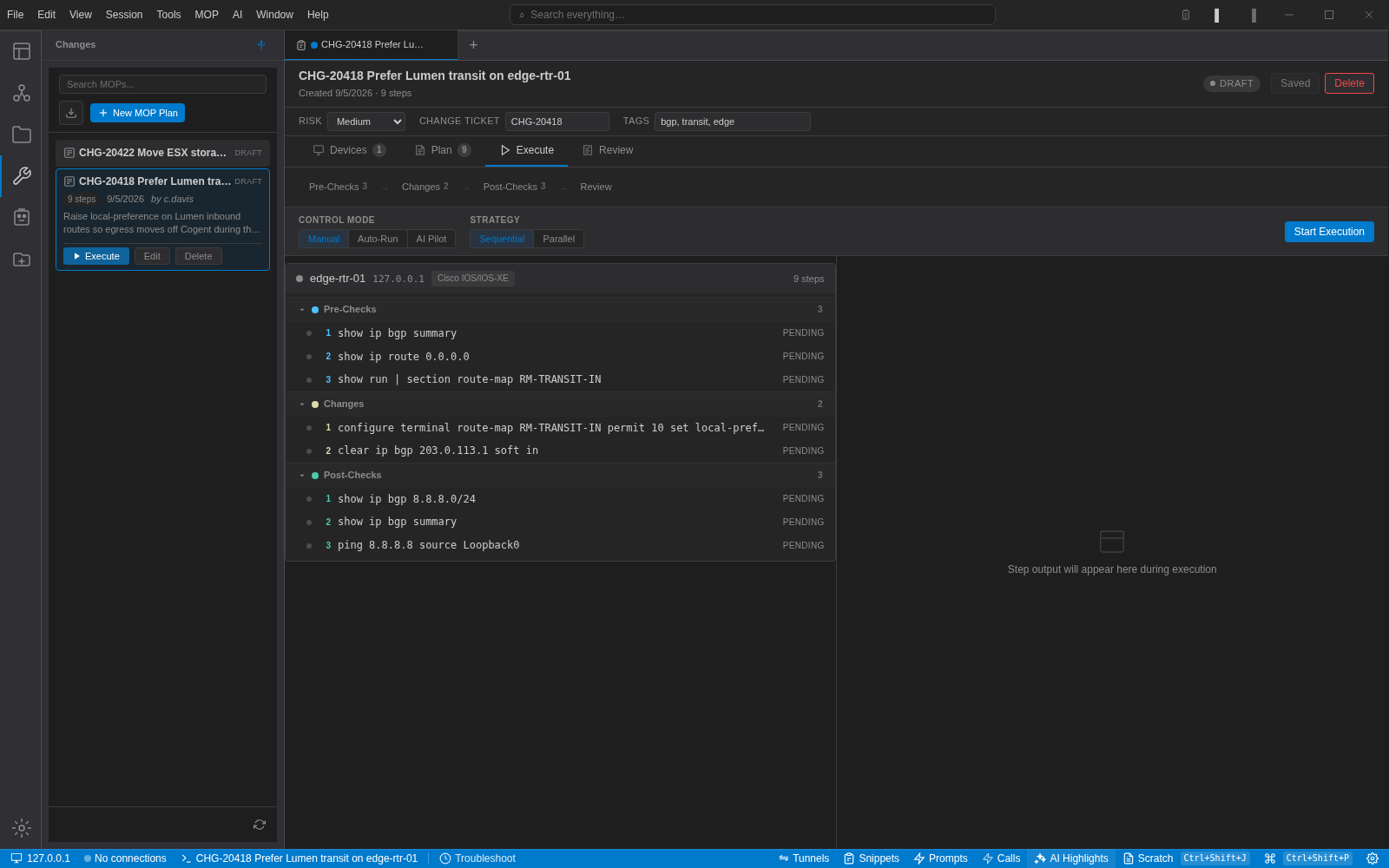
Six step types for any operational workflow
Combine these building blocks to automate any network change procedure
SSH Command
Execute CLI commands on network devices via the Controller proxy. Output is captured, stored, and available to subsequent steps. Supports multi-line configs, interactive prompts, and expect-style patterns.
Python Script
Run custom Python validation or transformation logic. Access outputs from prior steps. Parse CLI output, check BGP peers, validate counters, or implement any custom verification. Full standard library available.
HTTP Request
Call external APIs as part of your procedure. Open tickets in ServiceNow, post to Slack, trigger PagerDuty incidents, or integrate with any REST API. Configurable method, headers, body, and response validation.
Email Notification
Send structured email notifications with step results, validation outcomes, and custom messages. Configurable recipients per step. Use templates with variable substitution from step outputs.
Delay / Wait
Insert timed delays between steps — wait for convergence after a config change, allow BGP peers to establish, or pause for human verification. Configurable duration with optional skip conditions.
Approval Gate
Require explicit human approval before proceeding. Define approvers by role or specific user. The MOP pauses and notifies the approver. Full audit trail of who approved, when, and any comments.
Cron-based scheduling with full execution history
Schedule any operation with cron expressions and timezone support. Config backups, health checks, compliance audits, and stack deployments run on autopilot. Every execution is logged with full output and duration.
Built-in retry logic with configurable attempts and delay. Email and webhook notifications on success, failure, or status change. Execution history lets you track trends and catch regressions.
- Standard cron syntax with timezone support
- Target devices by folder, tag, or individual selection
- Retry logic with configurable attempts and backoff
- Full execution history with output and duration
# Nightly config backup — all core routers
- name: "Core Router Backup"
  schedule: "0 2 * * *"      # 2 AM daily
  timezone: "America/New_York"
  target: "folder:core-routers"
  action: "config_snapshot"
  retry:
    attempts: 3
    delay: 60s
  notify_on_failure: "[email protected]"

# Weekly compliance check
- name: "Compliance Audit"
  schedule: "0 6 * * 1"      # Monday 6 AM
  target: "folder:all-devices"
  action: "run_mop"
  mop_id: "compliance-check-v3"
  notify: "[email protected]"

# BGP health check every 15 minutes
- name: "BGP Peer Monitor"
  schedule: "*/15 * * * *"
  target: "tag:bgp-routers"
  action: "run_script"
  script: "check_bgp_neighbors.py"
alert_on_change: trueAI agents that triage, diagnose, and act on network events
NOC Agents are autonomous AI-powered workflows that monitor alerts, triage incidents, and take action. When an alert fires, the agent evaluates severity, connects to the affected device, gathers diagnostic data, and either remediates automatically or escalates to your team with full context.
Agents use the same Controller proxy — so they have access to credentials, session recording, and audit logging. Every action an agent takes is logged and reviewable. Configurable approval gates prevent agents from making changes without human sign-off when you need it.
- Alert-triggered or scheduled execution
- SSH to devices via Controller proxy for diagnostics
- Knowledge base (RAG) for org-specific context
- Approval gates for sensitive remediation actions
Build on top of NetStacks
Full REST API, a Controller-hosted Python plugin SDK, and HTTP integrations for your custom workflows
REST API
Full programmatic access to devices, templates, stacks, tasks, credentials, and audit logs. Token-based authentication with scoped permissions. Comprehensive error codes and pagination.
Plugin System
Build custom plugins for the NetStacks Controller (Enterprise) with the official Python FastAPI scaffold. Add new API endpoints, integrations, and automation logic. Plugins run in isolated environments with access to the NetStacks SDK.
from netstacks_sdk import Plugin, router

plugin = Plugin("my-integration")

@router.post("/sync")
async def sync_devices(source: str):
    devices = await plugin.api.devices.list()
    # Your custom sync logic here
    return {"synced": len(devices)}
HTTP Request Steps
Call any external API as part of your MOPs and scheduled tasks. Integrate with your existing tools without writing custom plugins.
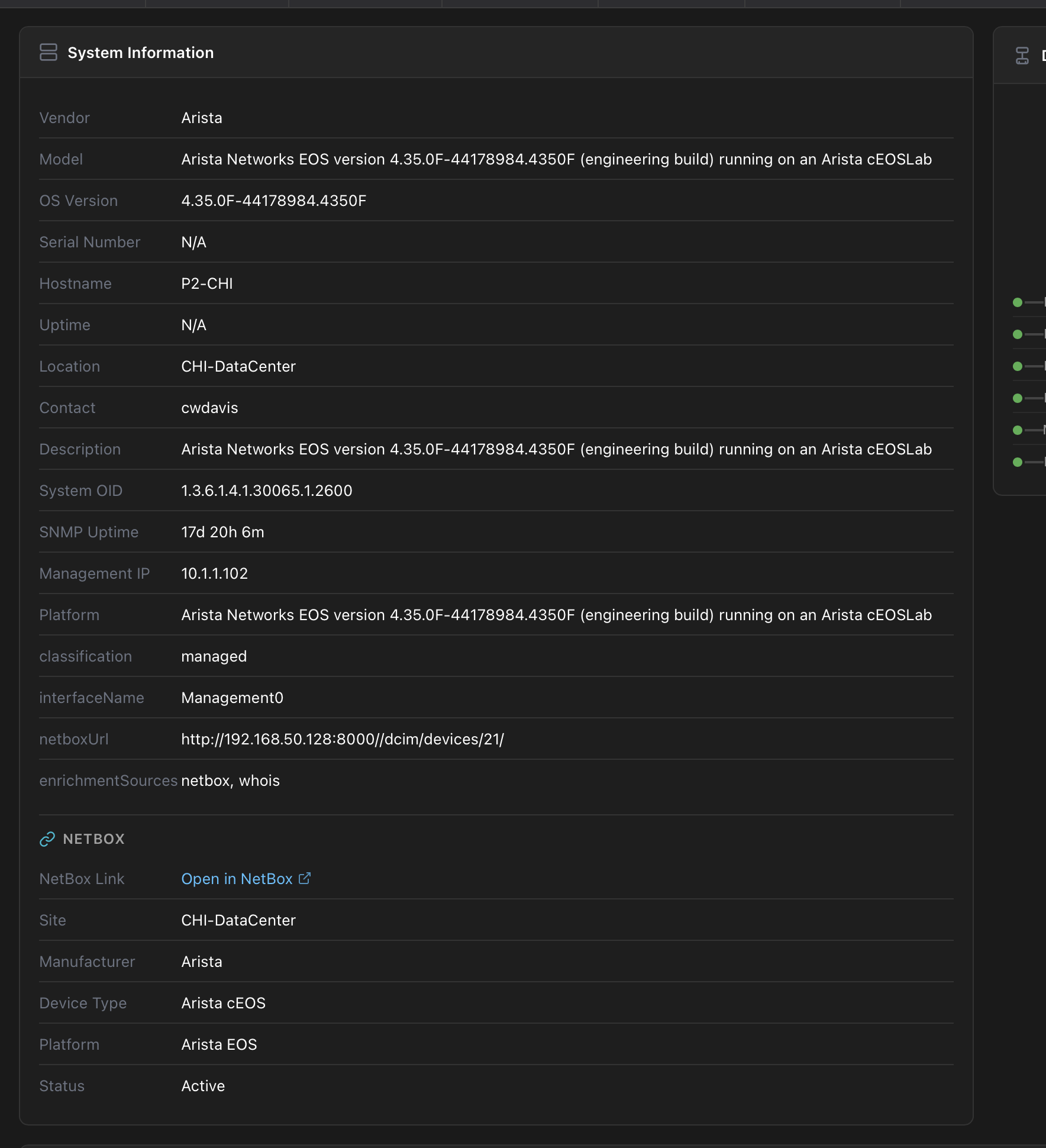
NetBox Integration
Sync your device inventory directly from NetBox. Devices, IPs, sites, and roles stay in sync automatically. Your DCIM becomes your session library — always up to date. Schedule syncs or trigger them via API.
Ready to automate your network?
Start with templates and scheduled backups. Graduate to full MOPs and AI agents when you're ready.