
What NetStacks does
One desktop application for the work around the CLI: connecting, reading, asking, changing and writing it down. Every screenshot on this page is the real application against a lab network.
An assistant that reads the terminal with you
NetBot is given the device you are connected to, its CLI flavour, the commands you ran and the output that came back. You ask in plain language; it answers with the next commands and the reasoning behind them.
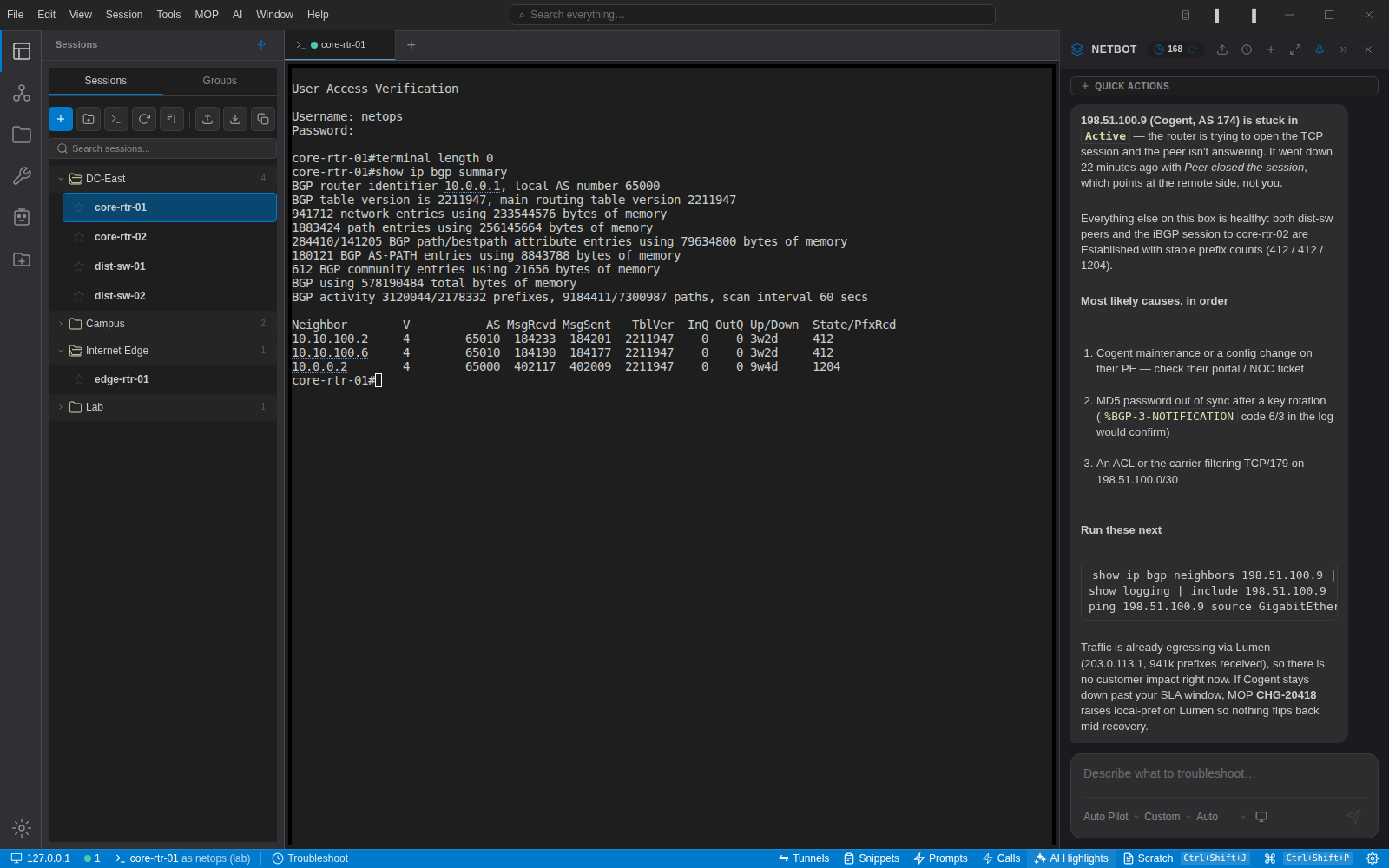
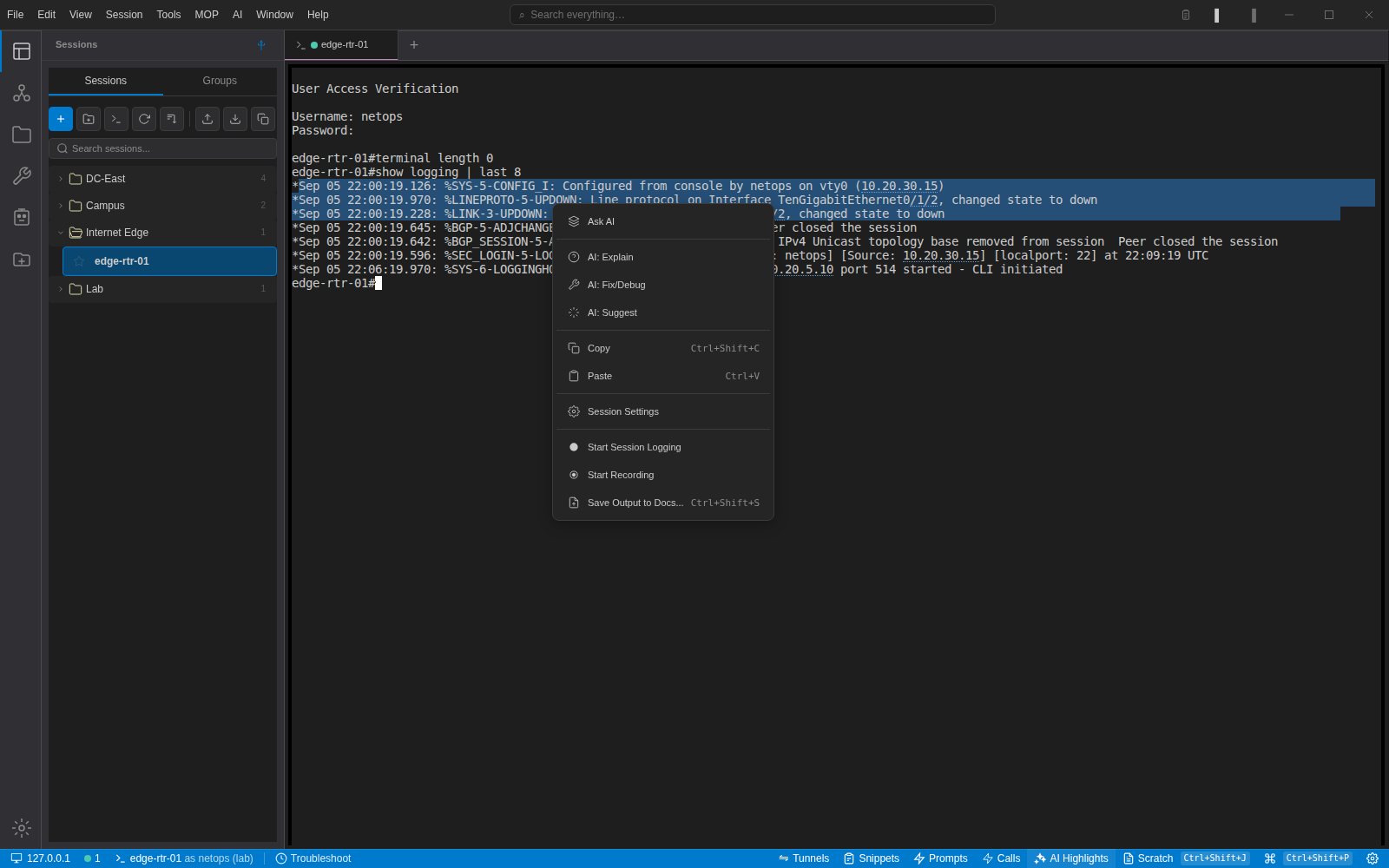
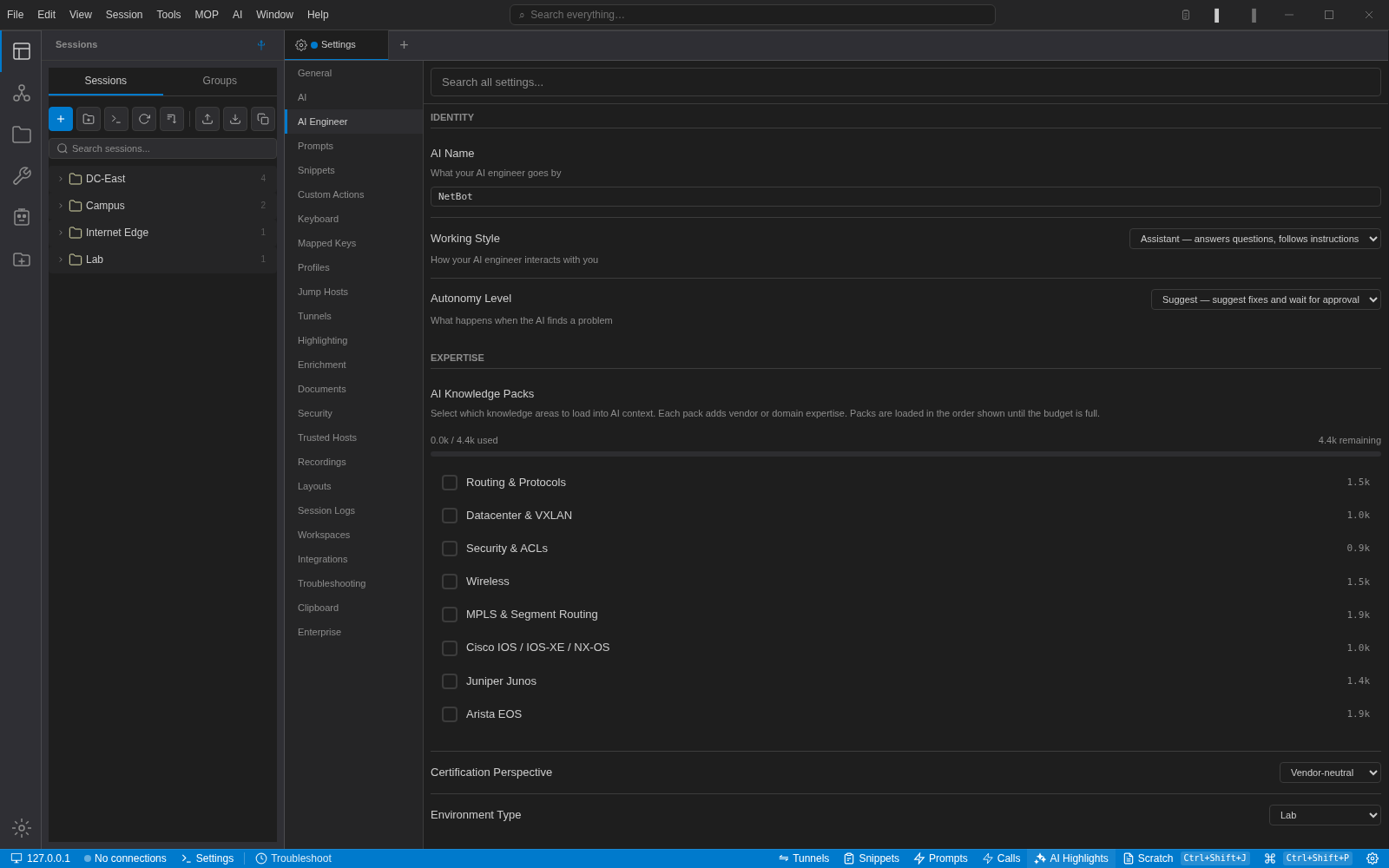
- Ask, Auto and Auto Pilot modes. Auto Pilot can run commands itself; you set the guardrails.
- Command autocomplete and next-step suggestions, each with its own switch under Settings → AI.
- Dangerous commands (reload, write erase, shutdown) get a confirmation dialog with safer alternatives.
- Credentials are scrubbed from anything sent to a model; the sanitiser is configurable.
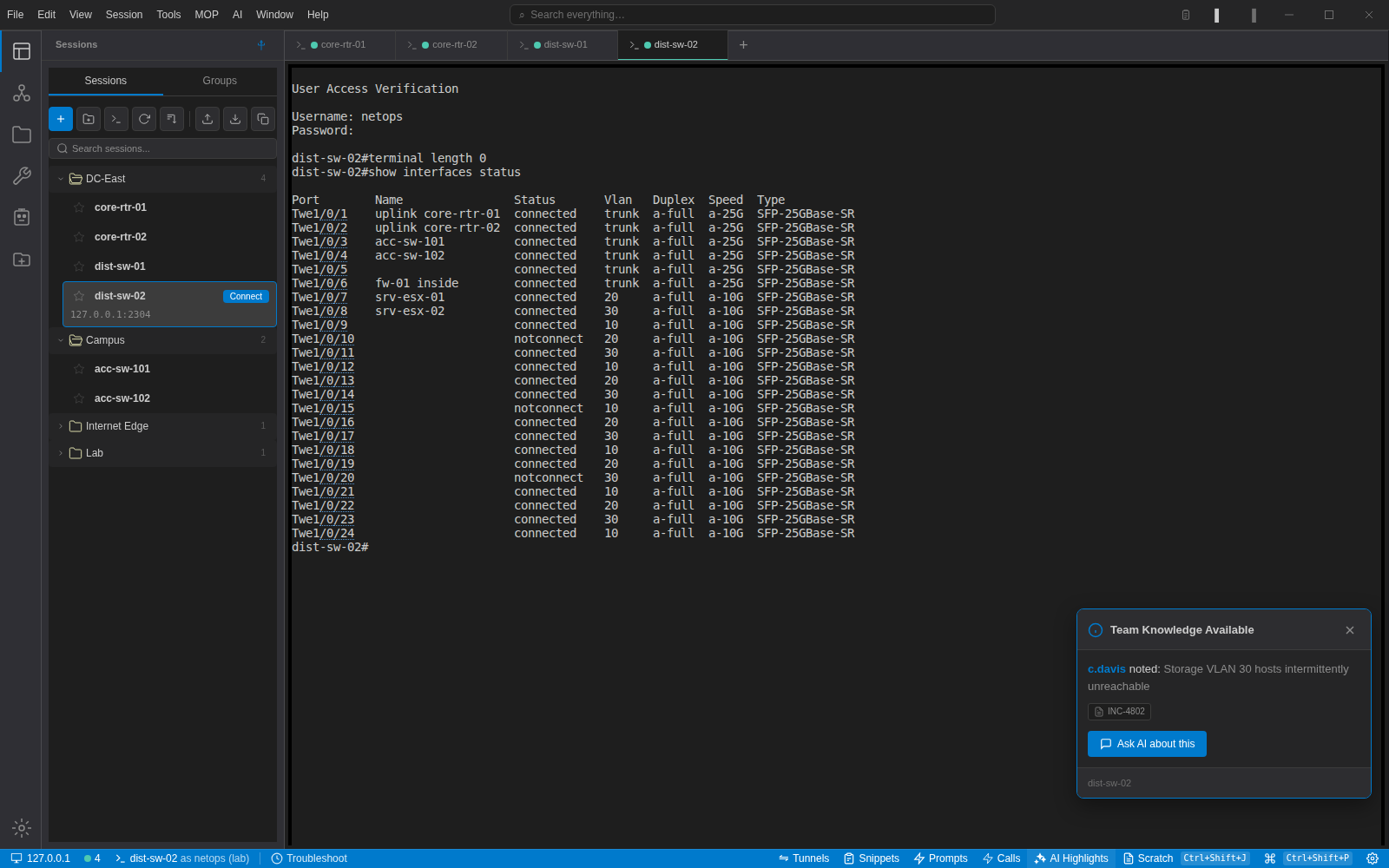
Devices remember what happened to them
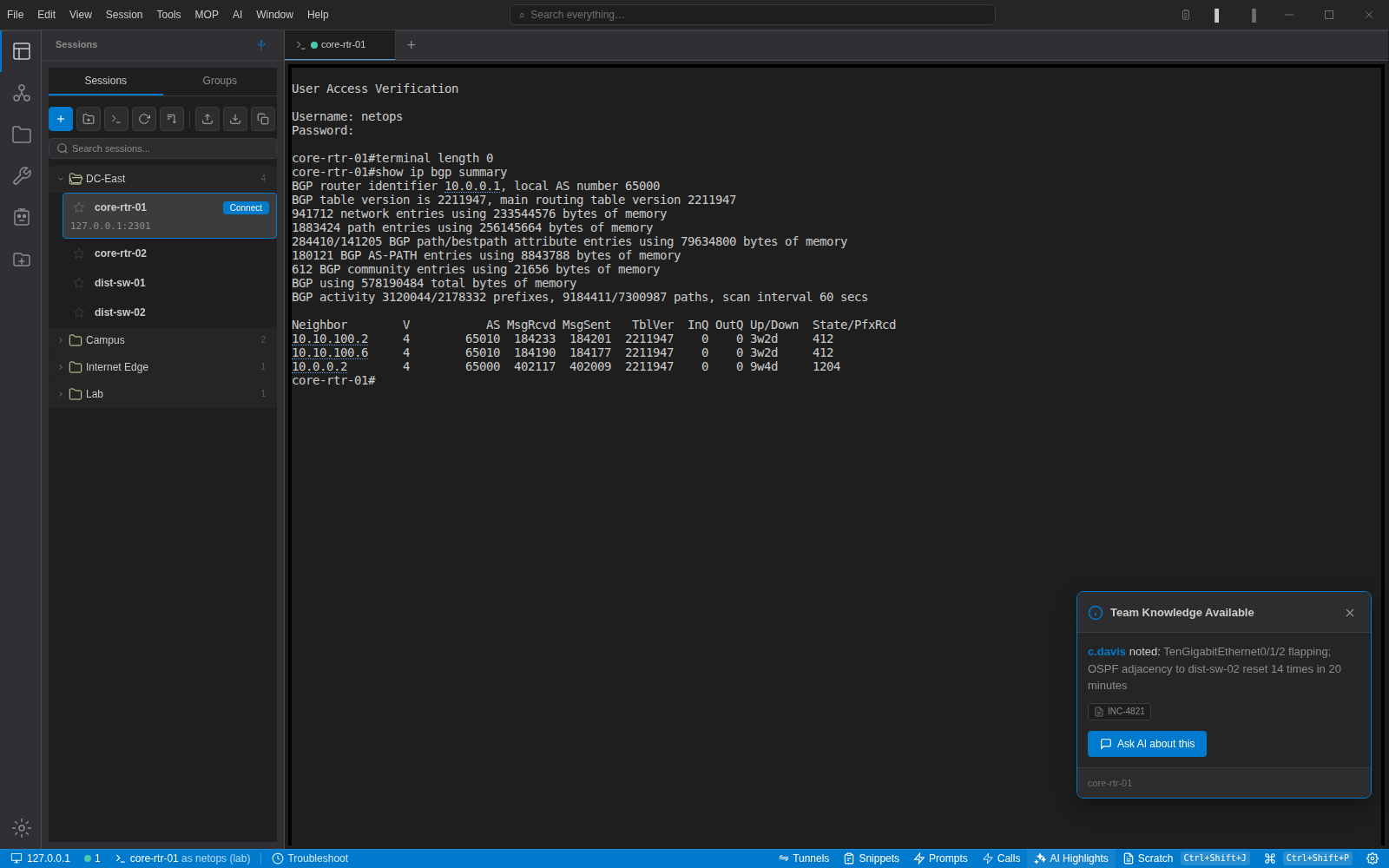
Every session can carry a history: the issue, the root cause, what fixed it, the commands that mattered and the ticket reference. When someone connects, the latest entry is shown before they type a thing.
The same history is added to the device's AI context, with credentials removed first, so the assistant knows that the interface you are looking at flapped two weeks ago and why.
- Issue, root cause, resolution, commands and ticket per entry
- Surfaced on connect; one click to ask the assistant about it
- Shared across the organisation with the NetStacks Controller
A library, not a list
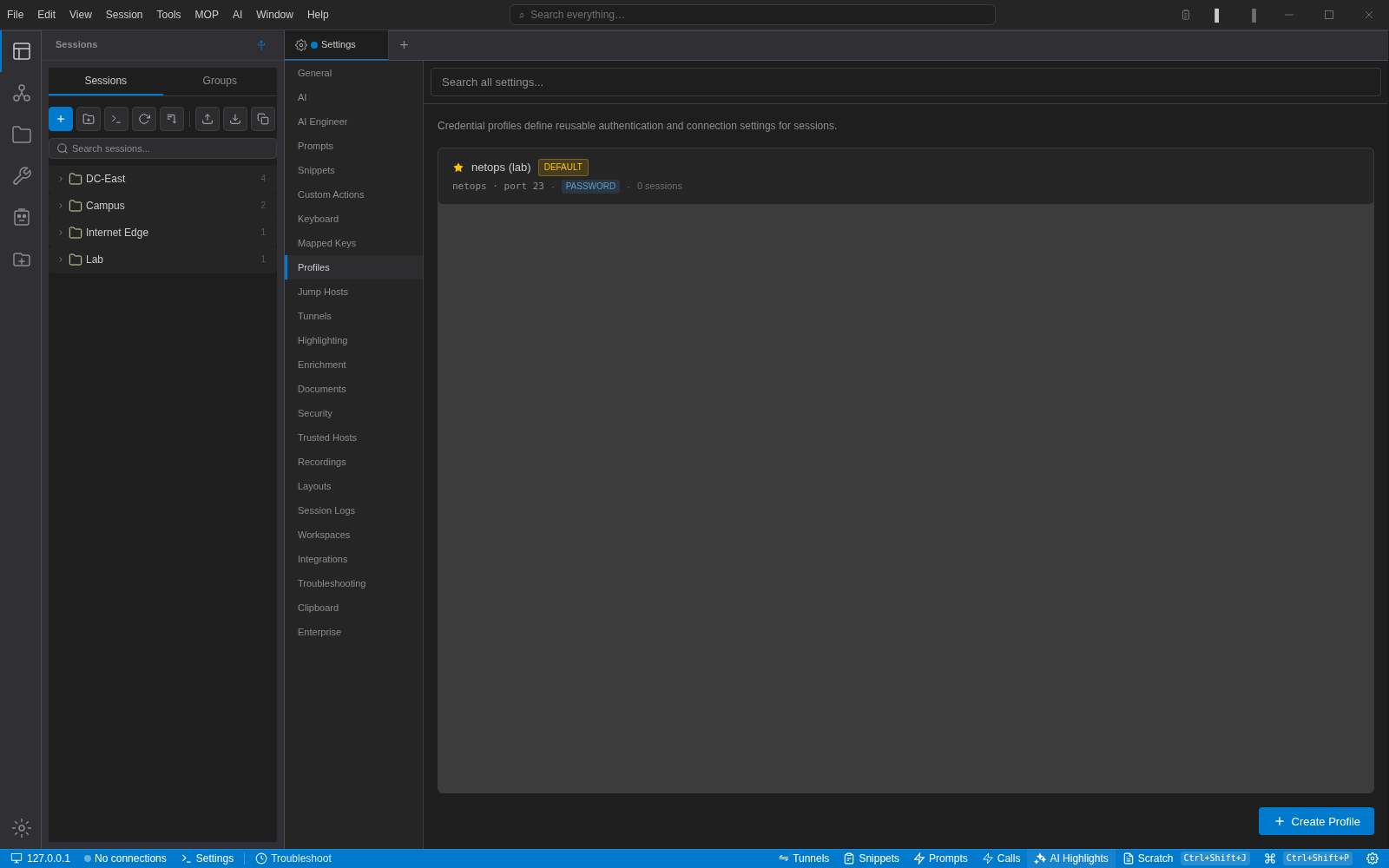
Folders and groups, colours, a search box, and credential profiles that keep the login out of the session record. Connect a device with a double-click or a whole folder at once. SSH, Telnet and SFTP, with jump hosts, SSH tunnels and legacy-algorithm support for the gear that needs it.
Bring your existing library with you: import from SecureCRT, or pull devices straight from NetBox with credential profiles mapped by site and role.
- Per-session terminal settings: theme, font, scrollback, local echo, auto commands
- Console-server access over a second host and port for out-of-band work
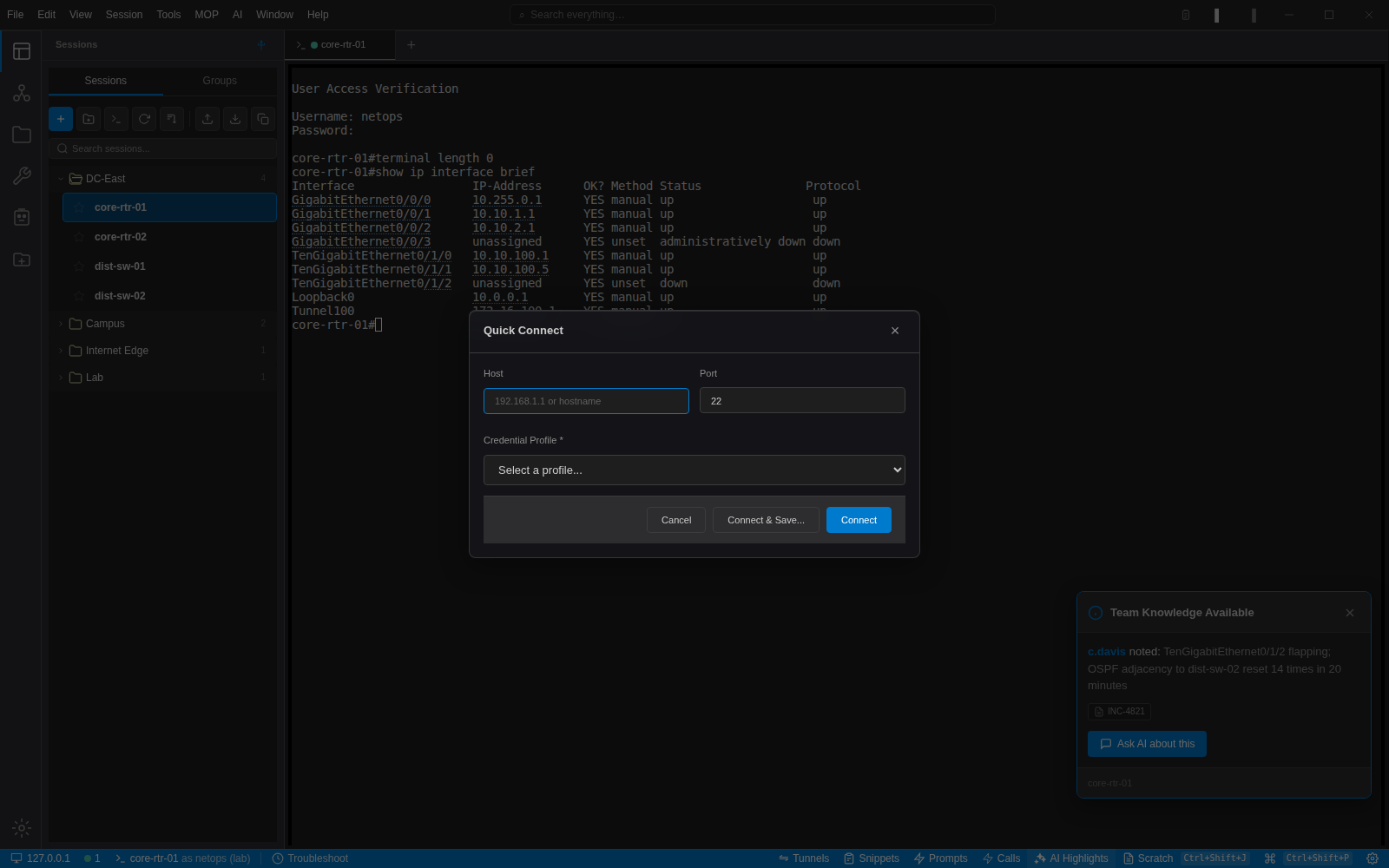
- Quick Connect for one-offs, with a "Connect & Save" path
Paste with your eyes open
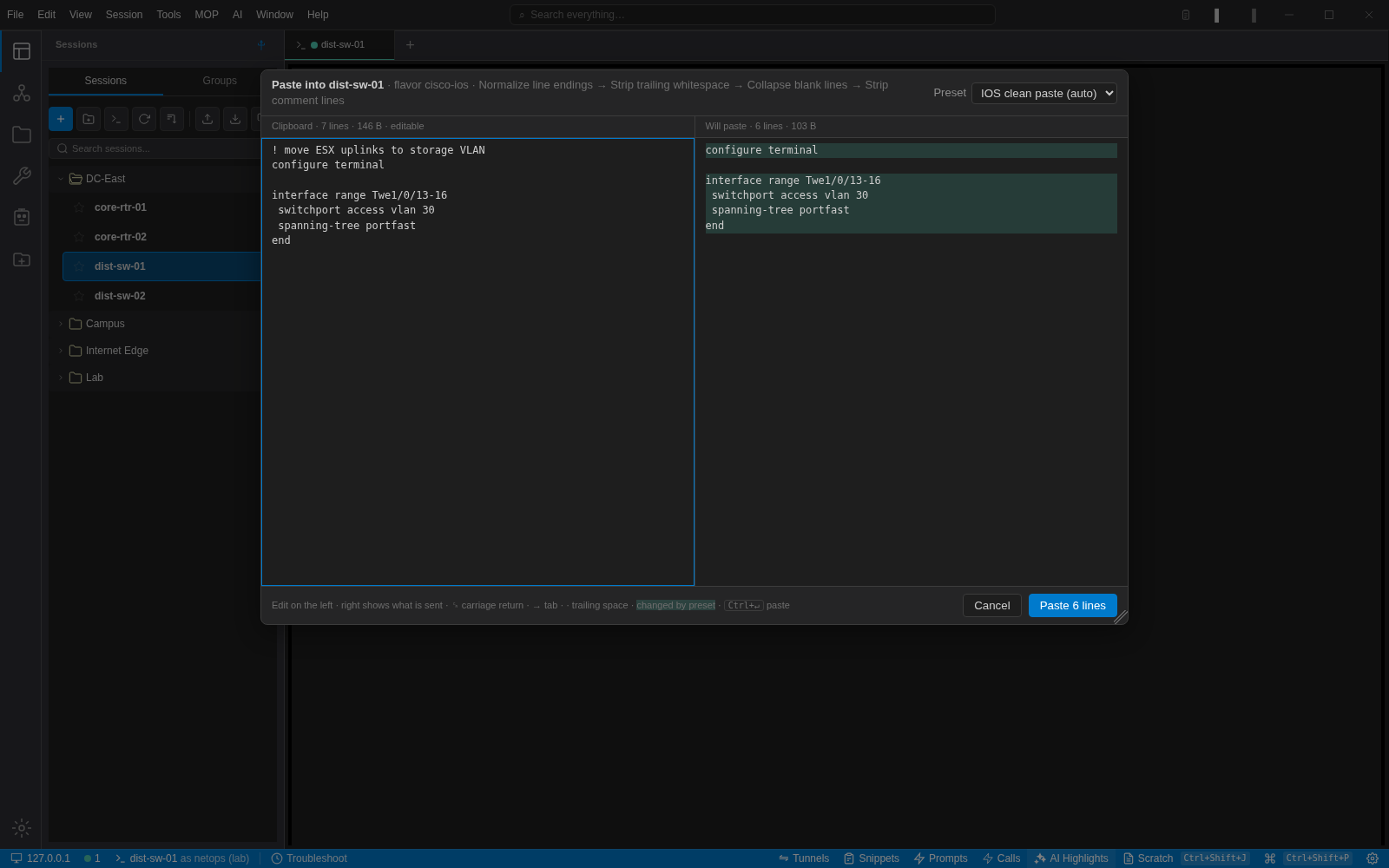
Anything longer than a line opens a review dialog before it reaches the device. Edit on the left, see the bytes the device will get on the right, press Ctrl+Enter. When you want the raw clipboard, Ctrl+Shift+V still does exactly that.
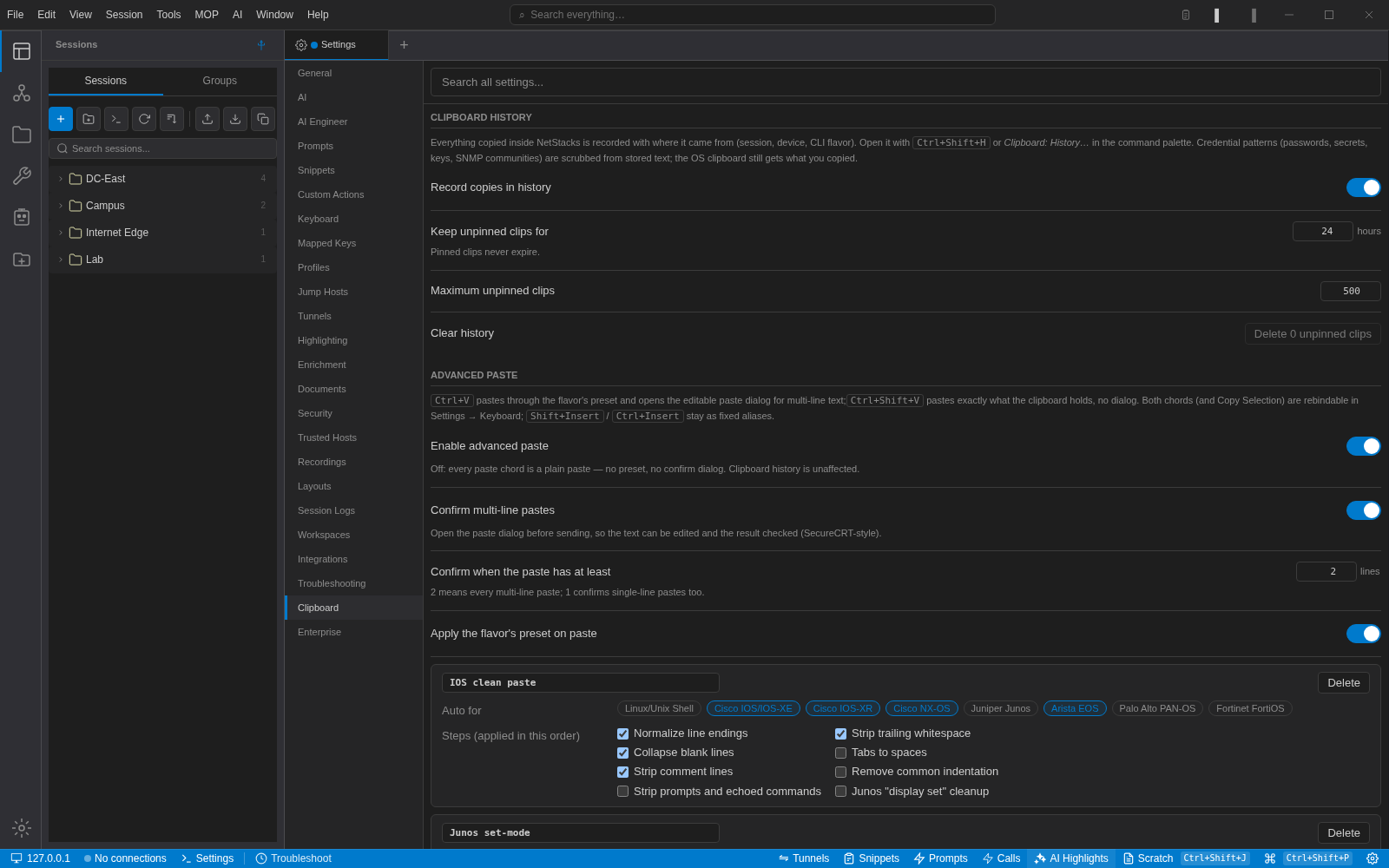
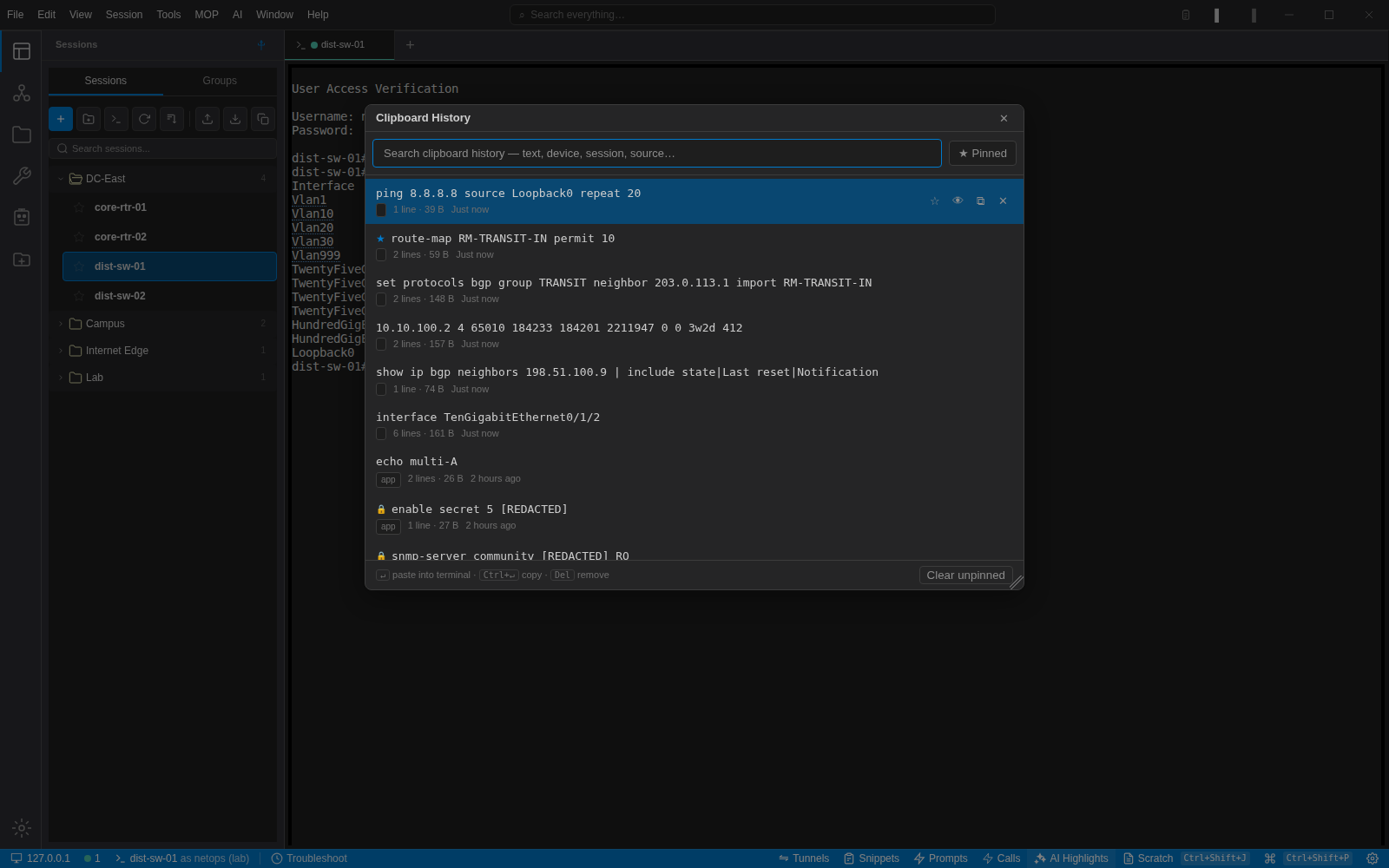
- Clipboard history records where each clip came from: device, session, document or MOP.
- Passwords, secrets and SNMP communities are redacted before a clip is stored; the OS clipboard is untouched.
- Pinned clips never expire; everything else follows the retention you set.
Draw the network from the sessions you already have
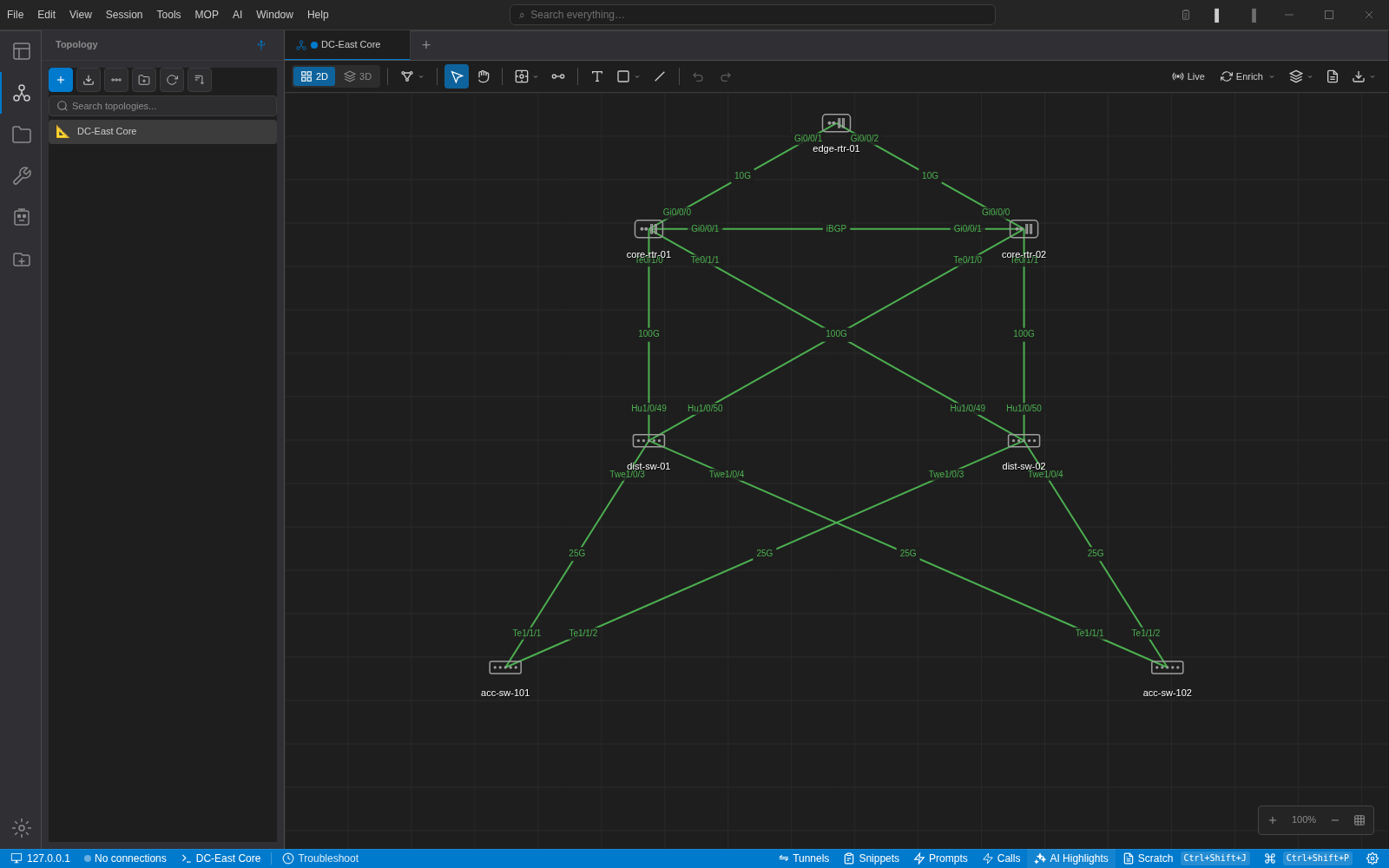
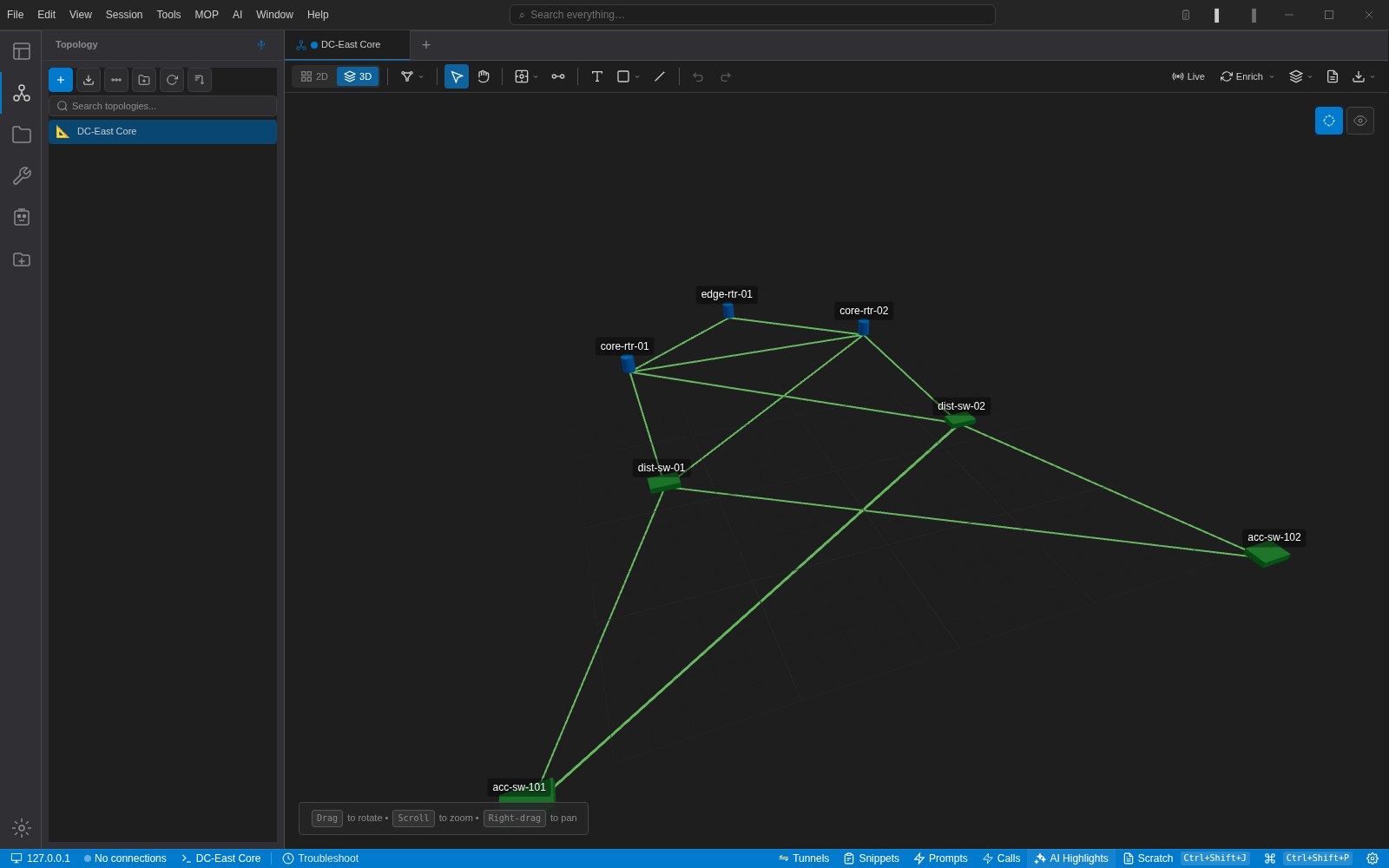
Add devices from your session library, draw links with interface names on both ends, and switch to 3D when the diagram needs depth. Double-click a device to open a terminal to it.
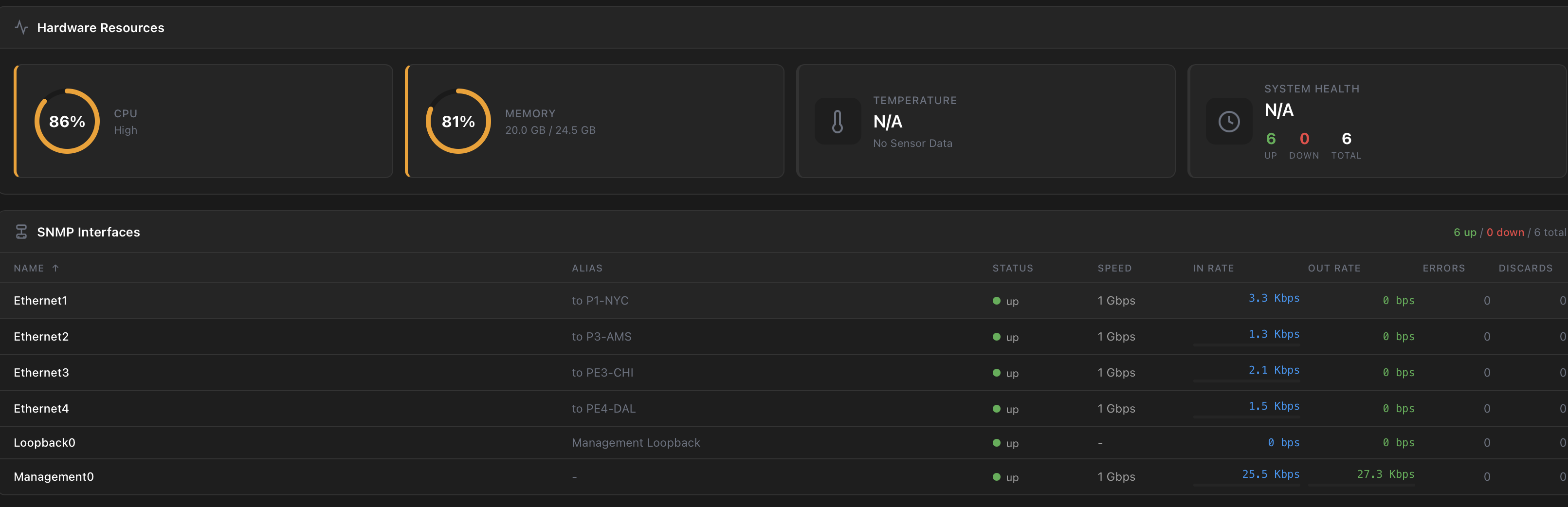
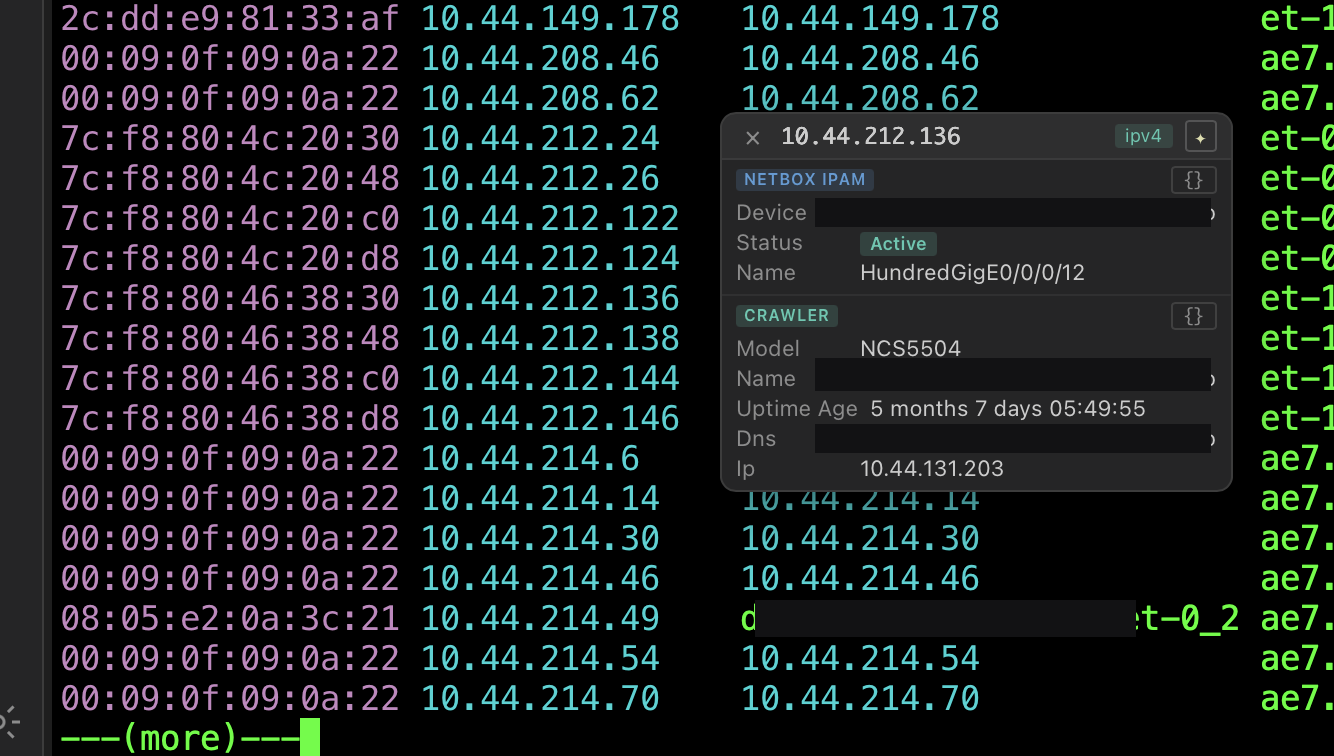
Enrichment pulls device facts and neighbours from NetBox, LibreNMS or a Netdisco crawler. Live mode polls SNMP for interface state and utilisation and paints it on the map.
- 2D and 3D views of the same data
- Interface labels, link speeds, waypoints and bundles
- Text, shapes and annotations for change-window diagrams
- Export as an image or a document
The terminal itself
None of the above matters if the terminal is not good. It is a proper xterm-compatible emulator with the things network engineers expect.
Rust agent, native shell
The terminal, SSH and Telnet stacks run in a Rust agent next to a Tauri desktop shell. It starts fast and stays responsive with many tabs open.
Keyboard first
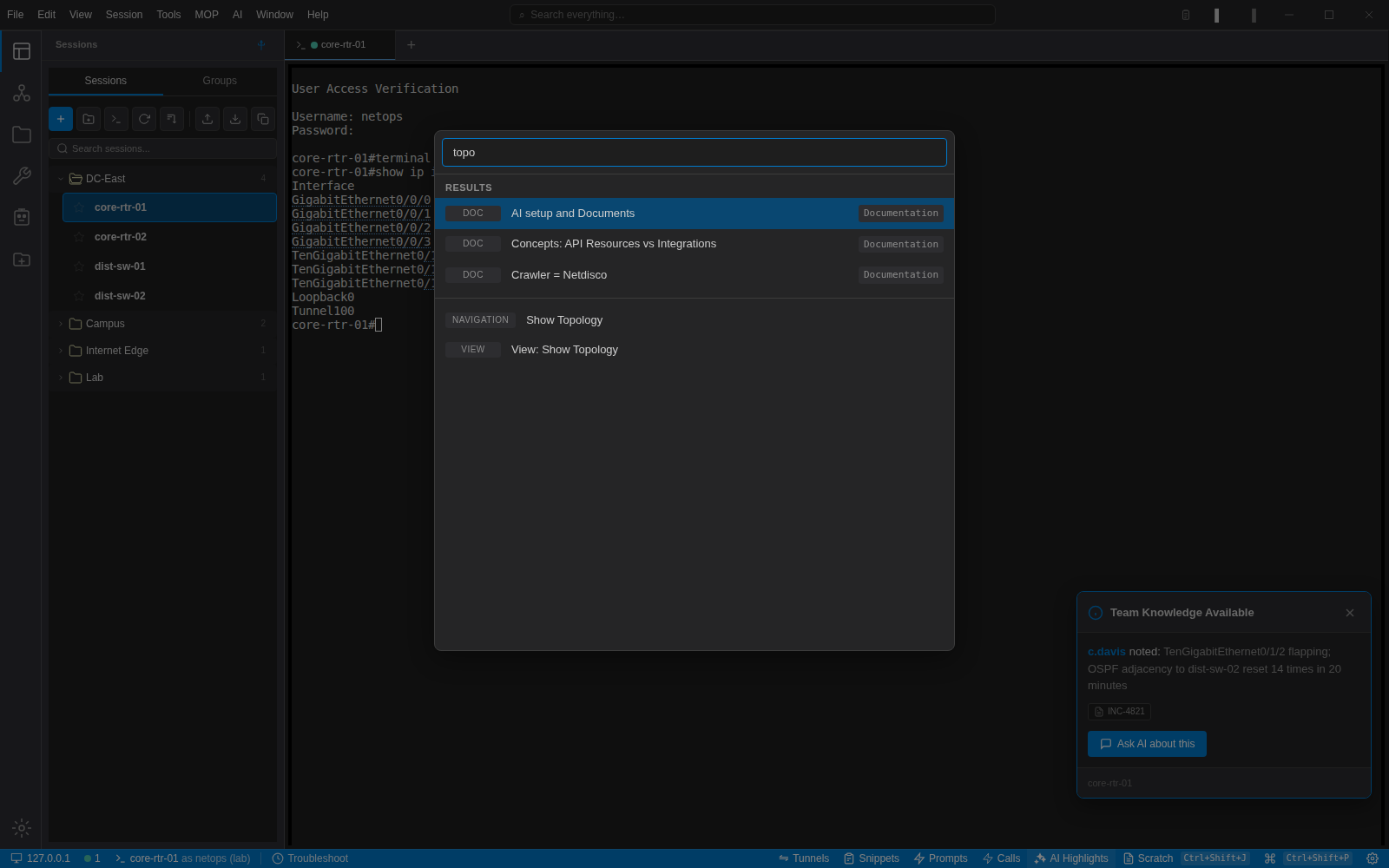
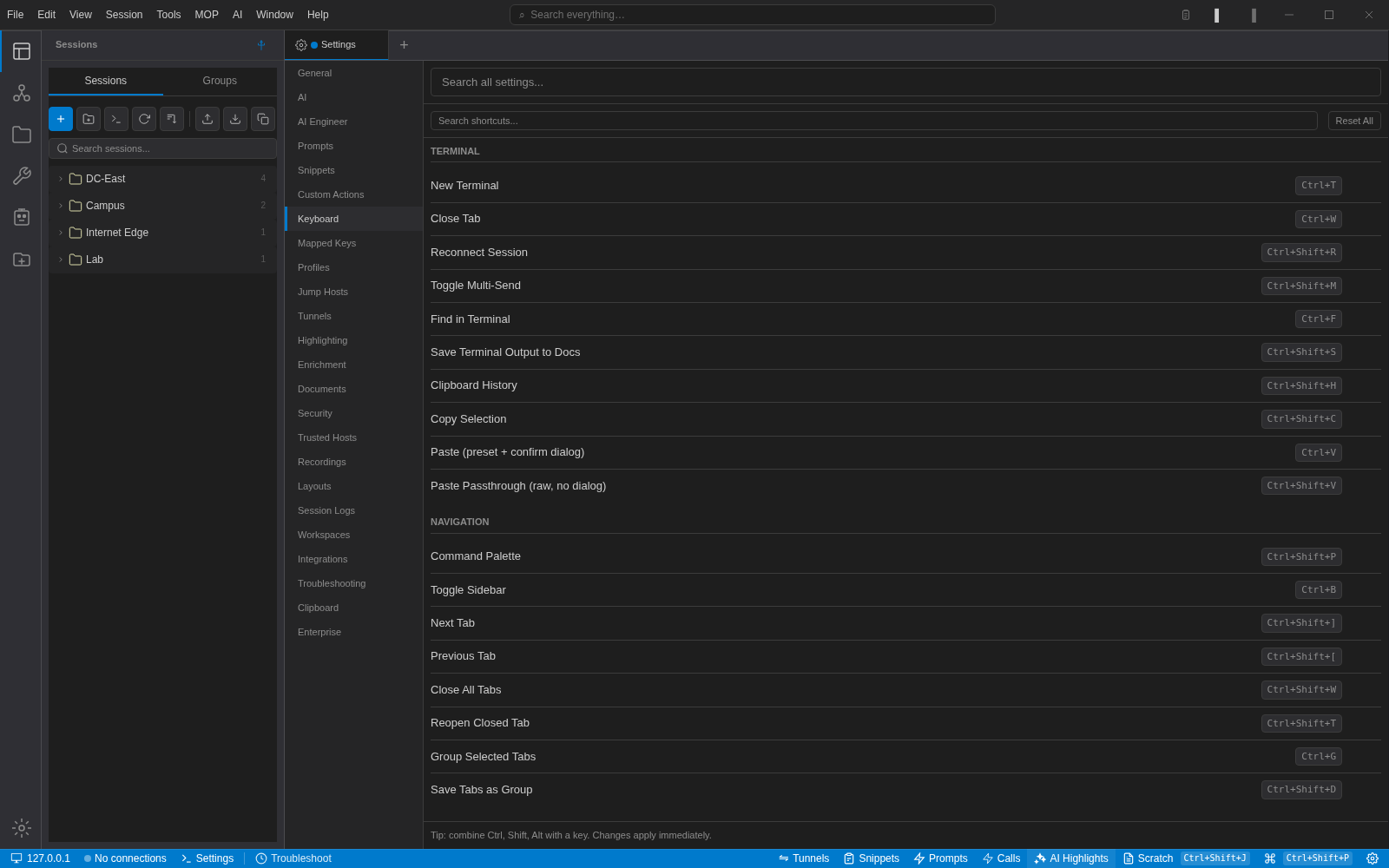
A command palette for every action, a global search box, and every shortcut rebindable under Settings → Keyboard, with conflicts caught as you type them.
Themes and highlighting
Terminal colour themes per session, keyword and regex highlight rules, and automatic underlining of IPs, MACs, hostnames and ASNs you can right-click to look up.
SFTP
Browse and transfer files over the same session credentials, with a configurable start directory per device.
Recording and logging
Start a session log or a recording from the terminal context menu. Recordings and logs are listed under Settings so they are easy to find later.
Snippets and multi-send
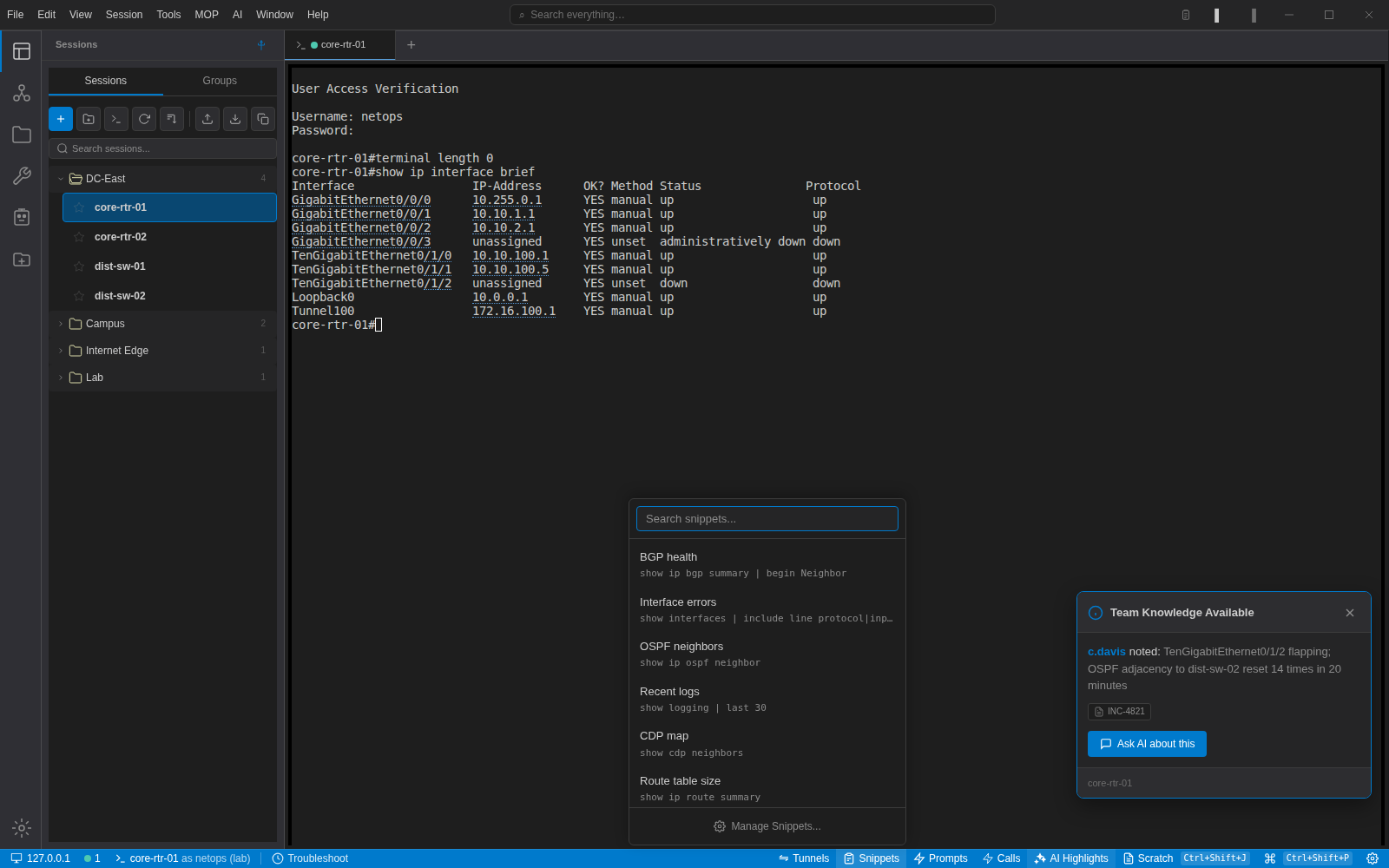
Keep the commands you type every day in the snippets popover, and toggle multi-send to run one command across every open tab.
MOPs that can fail safely
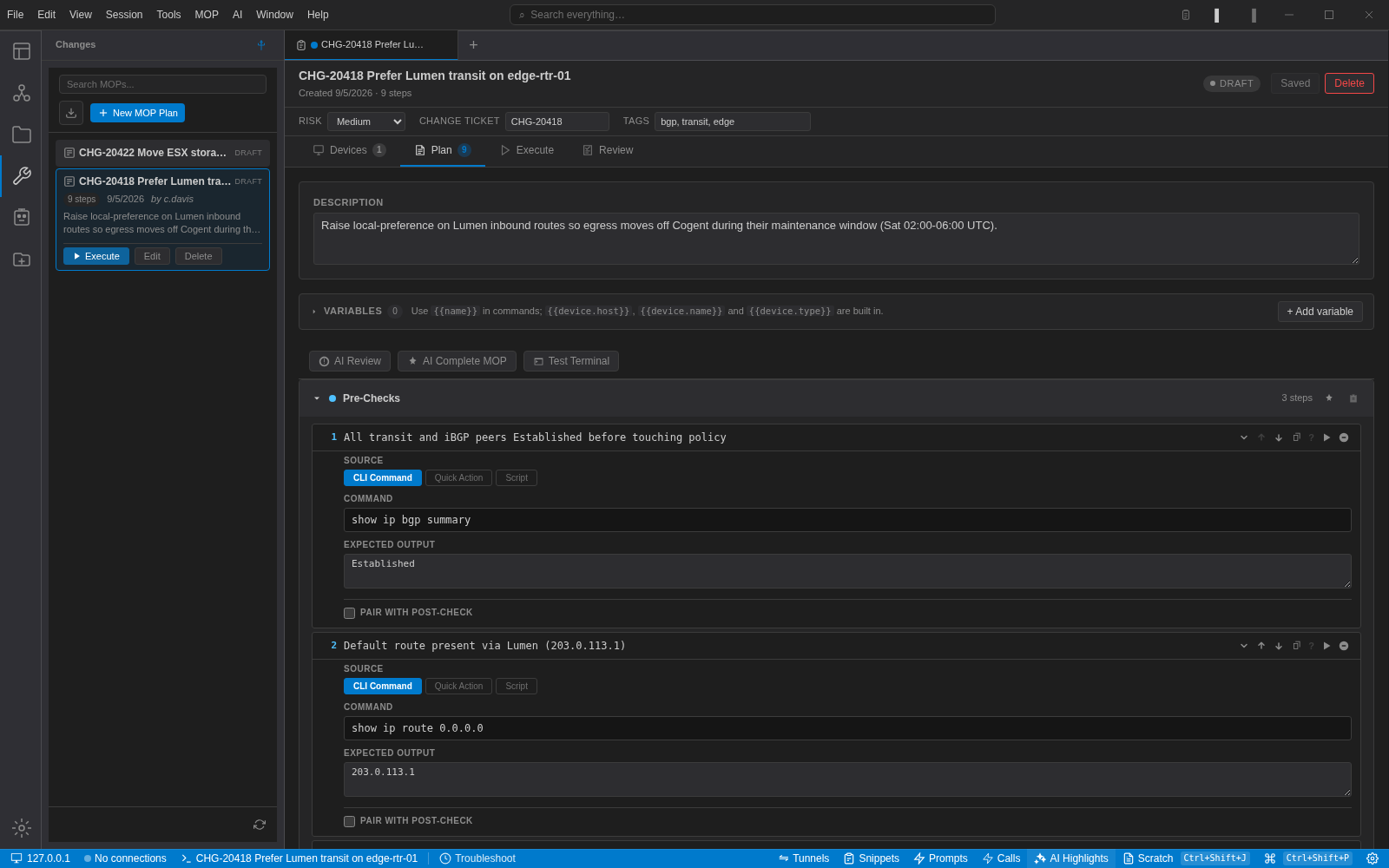
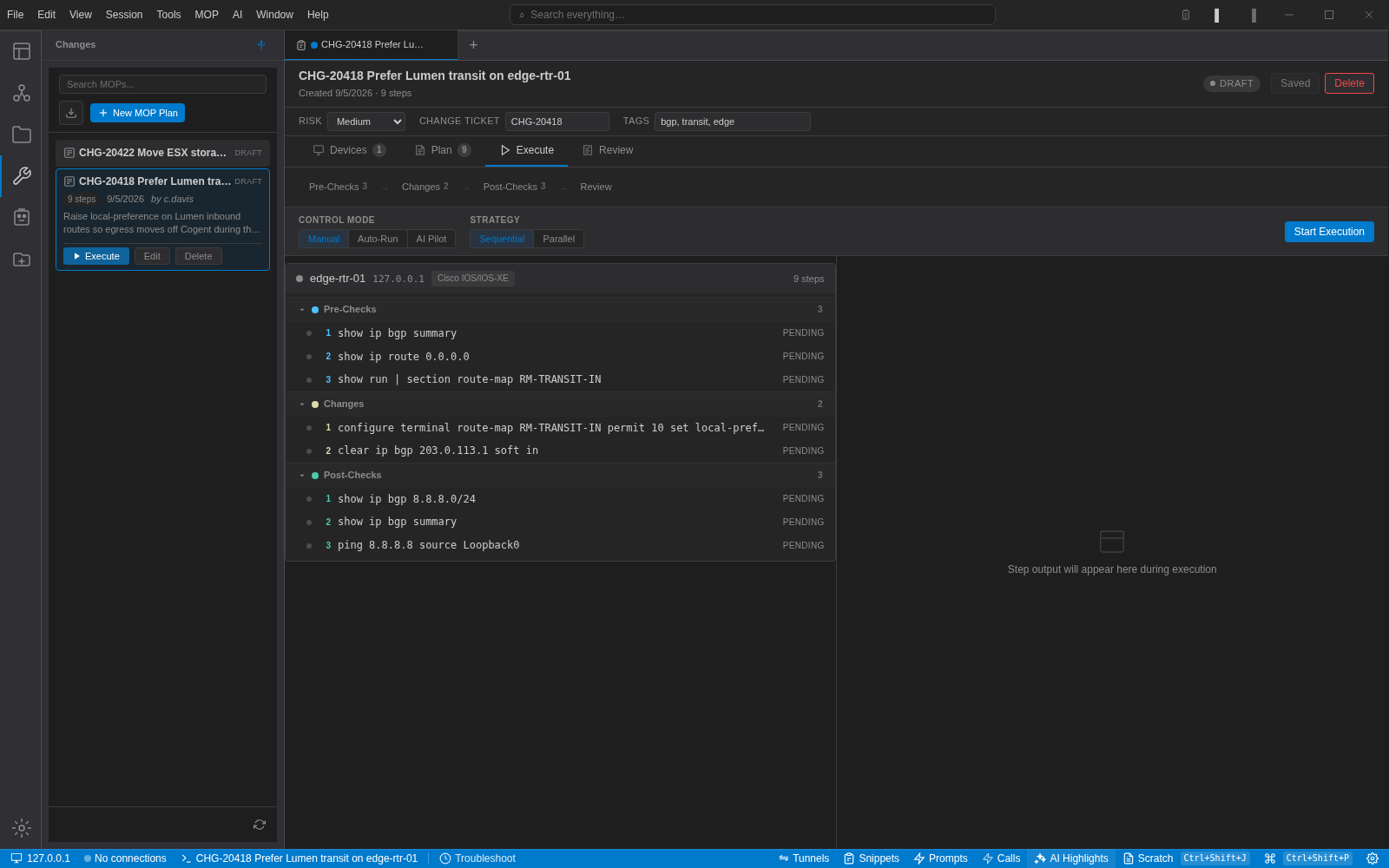
A method of procedure is a typed plan: pre-checks, changes, post-checks and rollback. Each step has a command, a description and the output you expect. Execution runs against the devices you pick, in the order you set, and stops when a check does not match.
Runbooks and write-ups next to the terminal
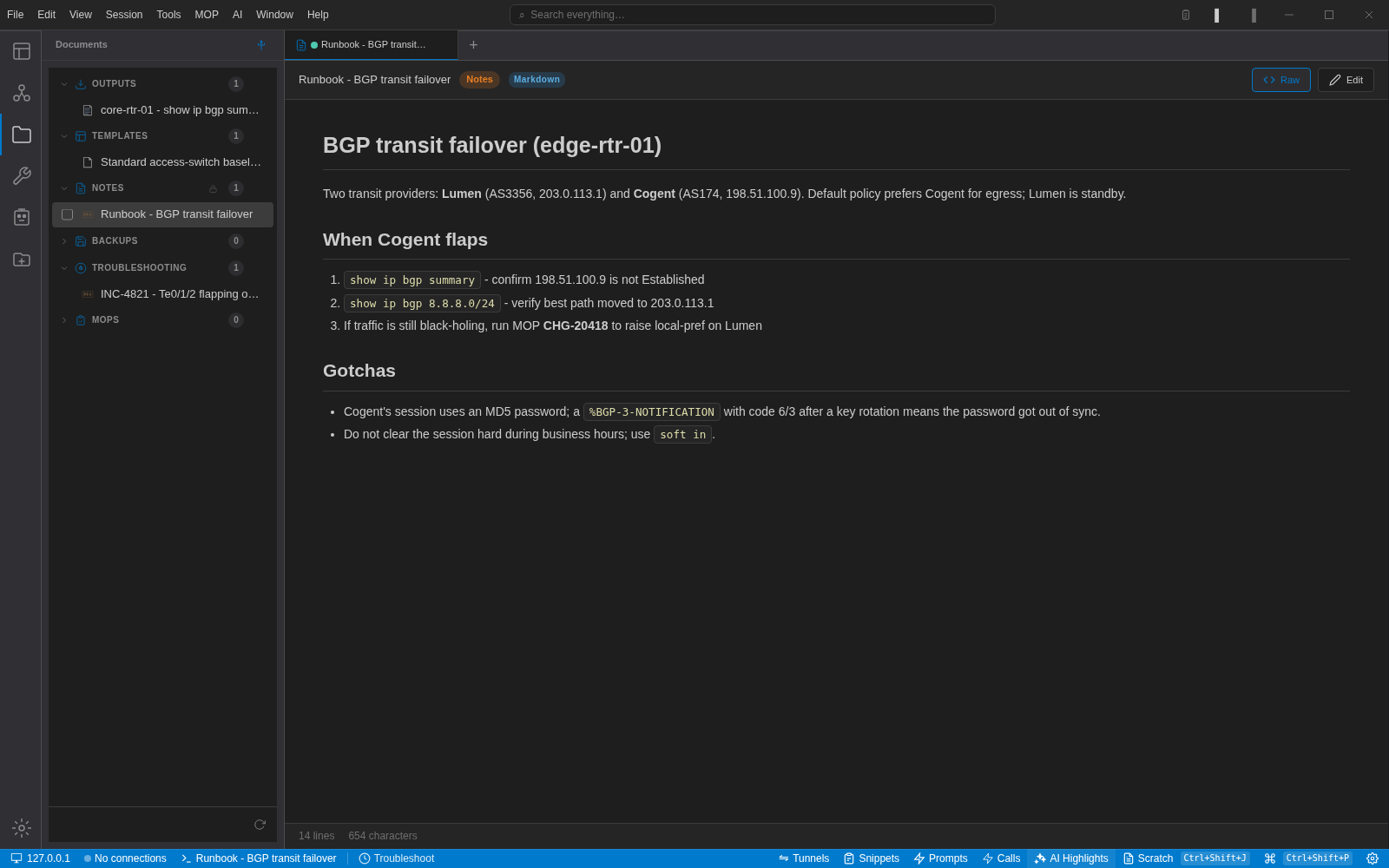
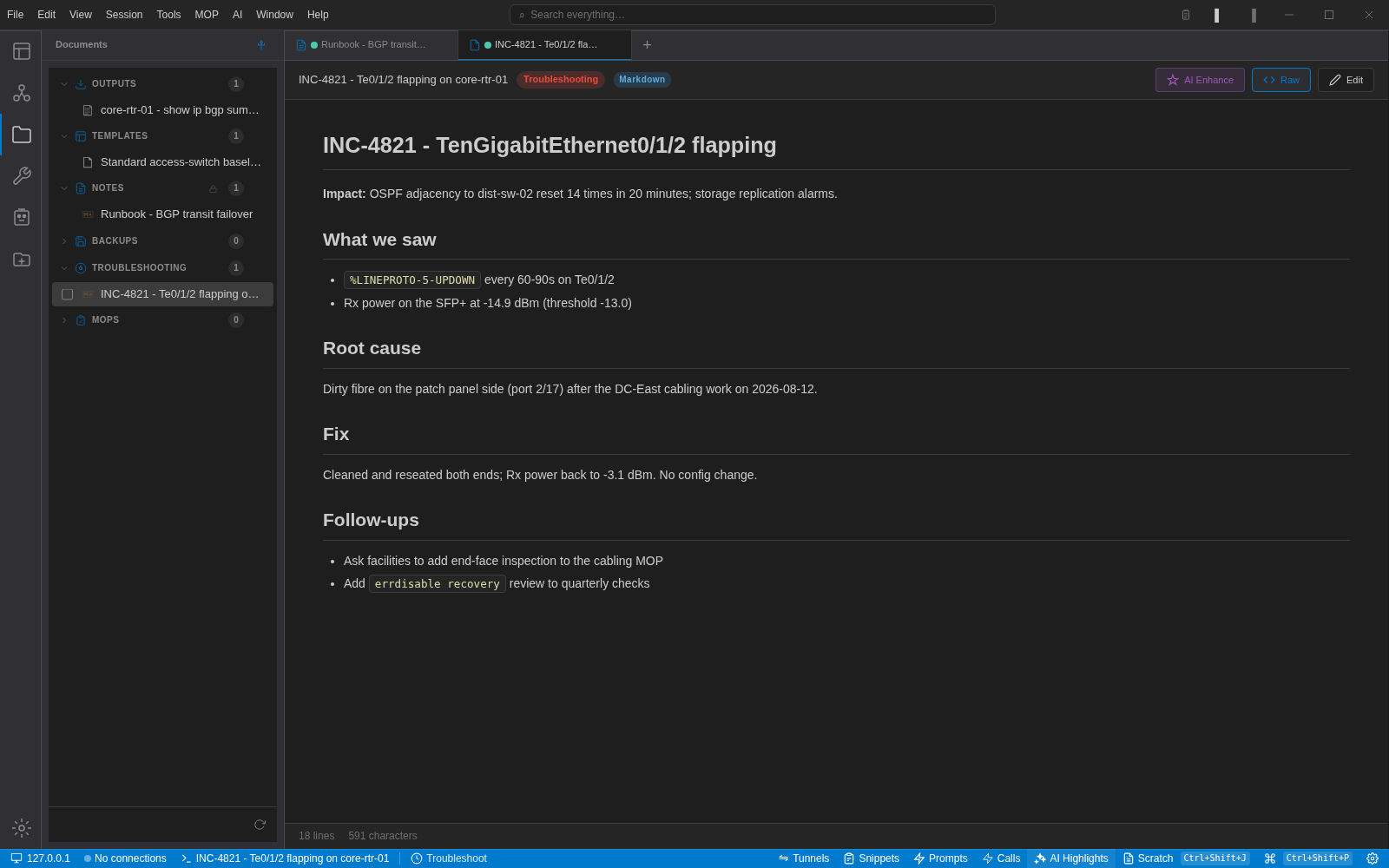
Save command output from the context menu, keep Markdown runbooks and incident notes in categories that match how you work, and let the assistant tidy a rough write-up with AI Enhance.
Documents are searchable from the same box as commands and sessions, and a MOP can reference the document it came from.
- Outputs, templates, notes, backups, troubleshooting and MOPs
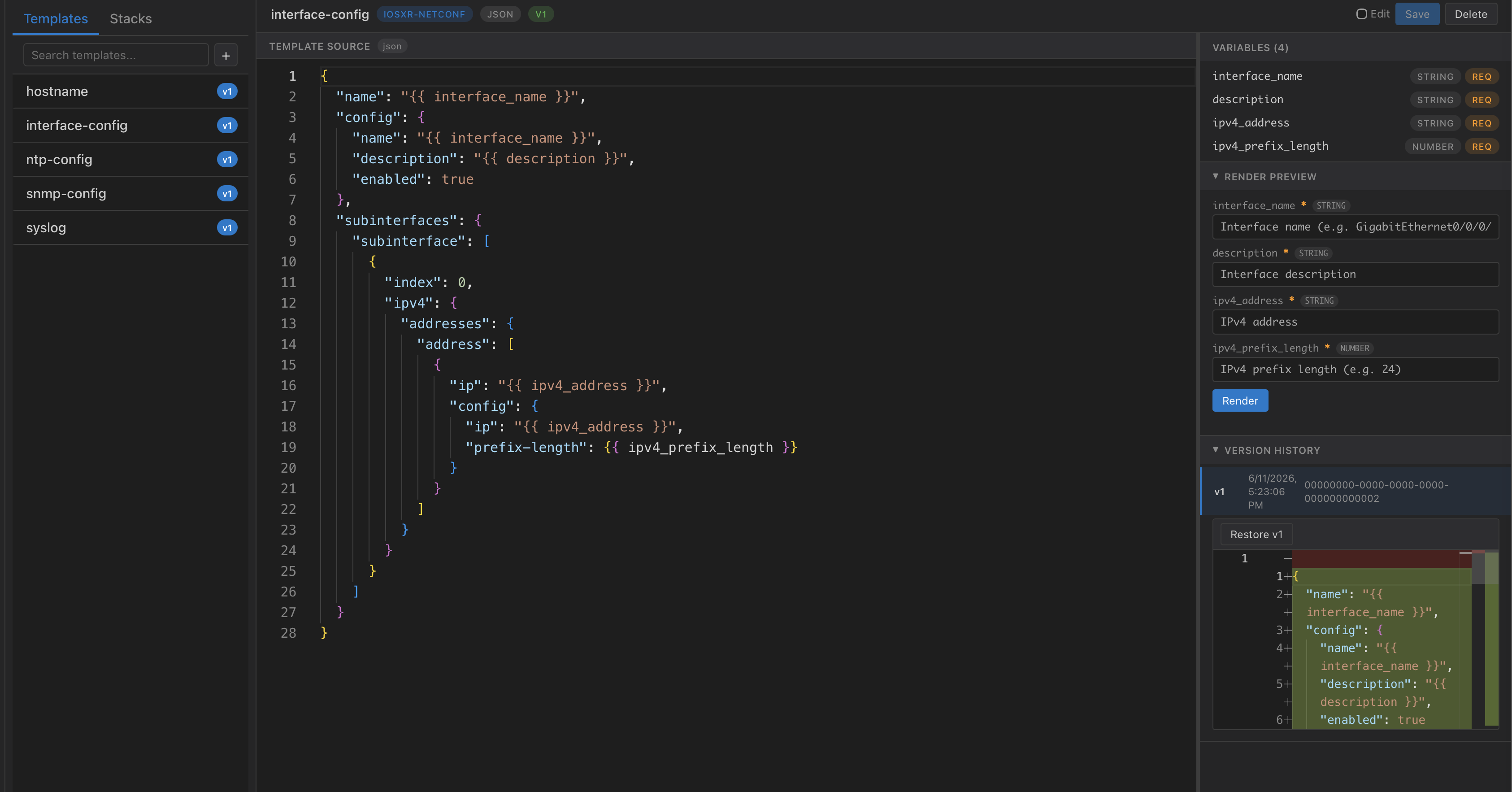
- Jinja2 templates with variable extraction and version history
- Raw and rendered views; edit in place
No account, no proxy, your API key
NetStacks does not sit between you and your model provider. Add a key for Anthropic, OpenAI, OpenRouter, a local Ollama, LiteLLM or any OpenAI-compatible endpoint. Keys are stored in the same encrypted vault as your device credentials.
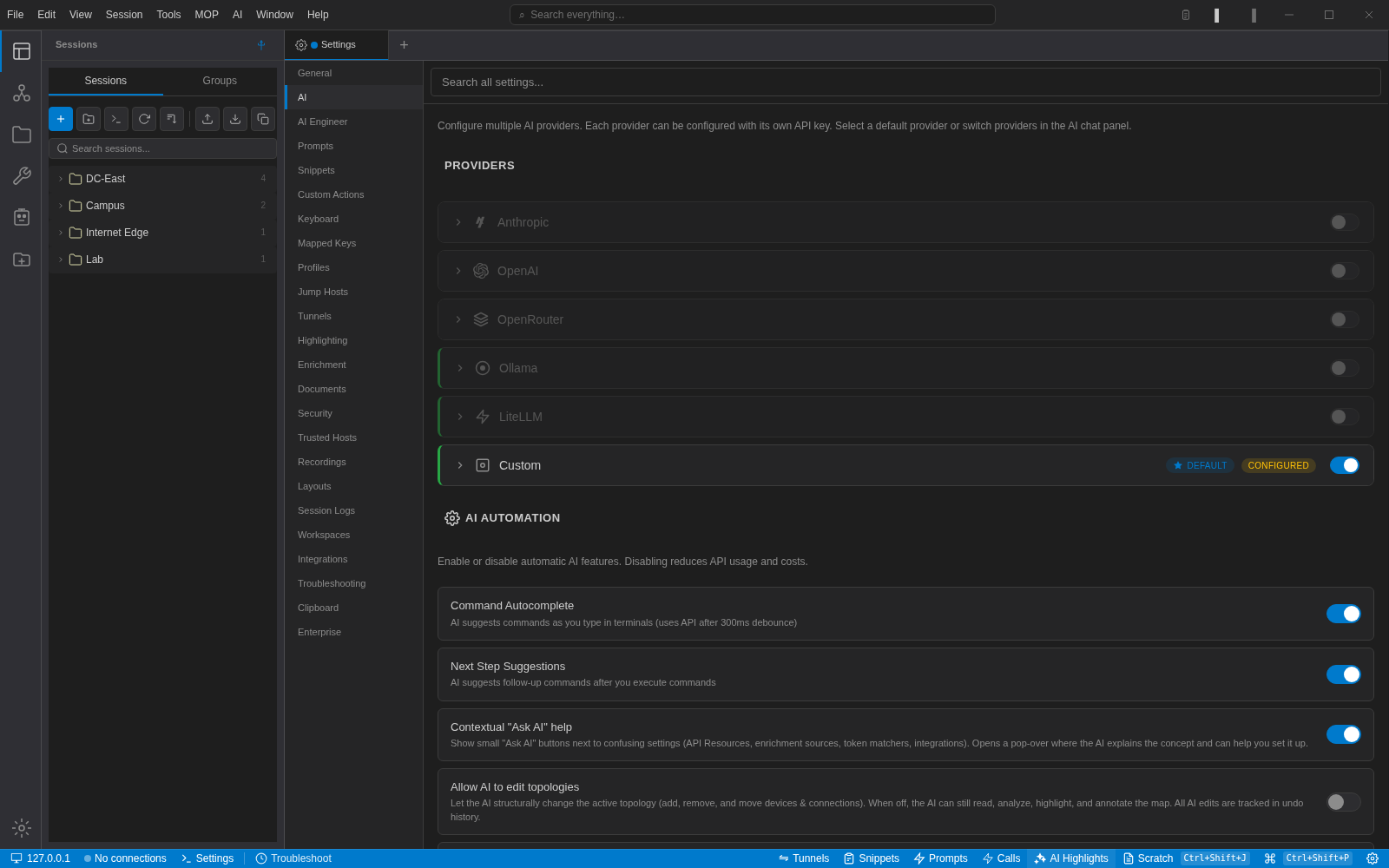
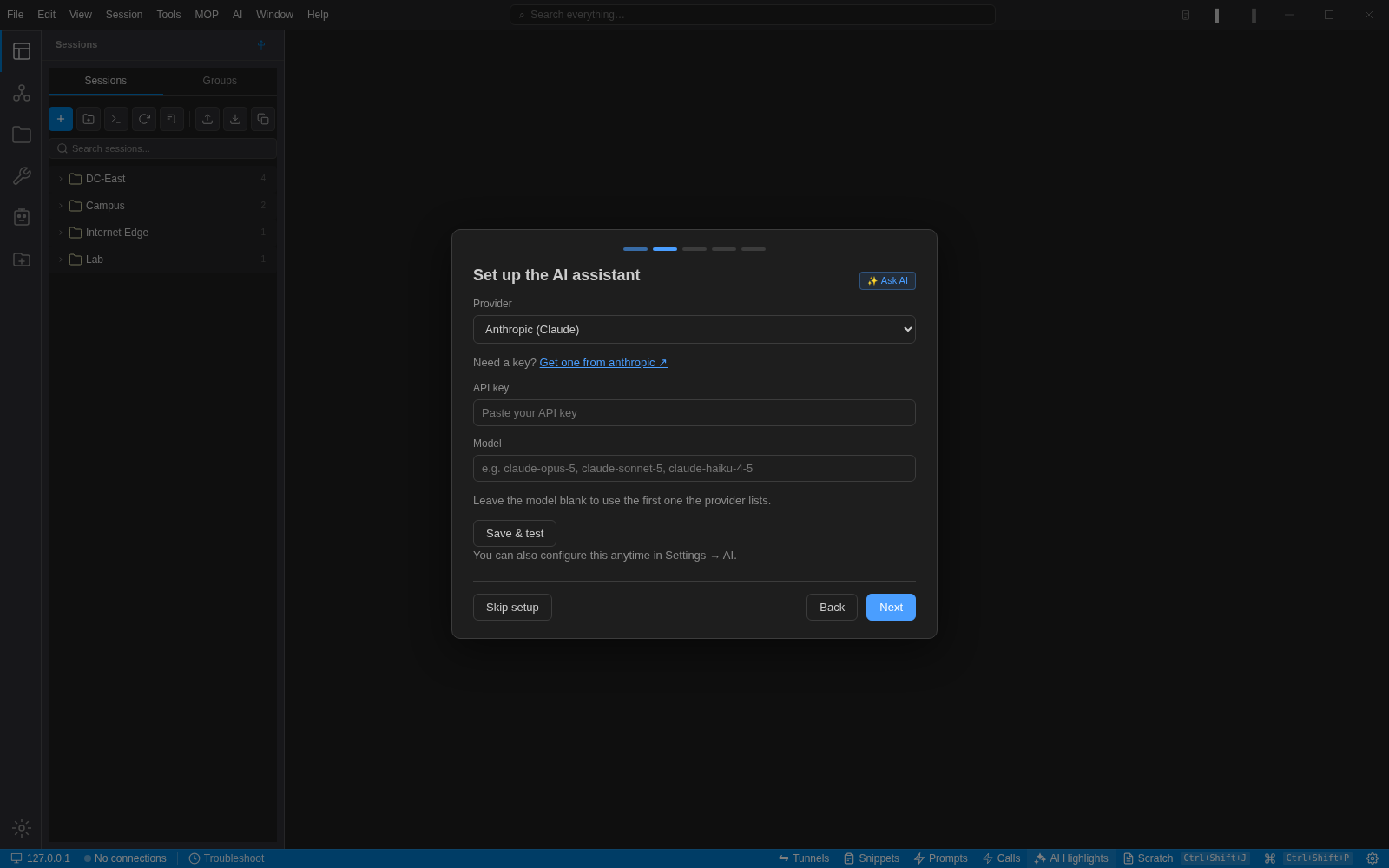
- Per-provider base URL and TLS overrides for private gateways.
- OAuth2 client-credentials and custom headers for enterprise endpoints.
- MCP servers can be attached to give the assistant more tools.
Credentials that never reach a laptop
With the NetStacks Controller, the server owns the credentials and proxies every SSH connection. Engineers use the same desktop app or a browser; they never see a password or a key.
SSO through SAML, OIDC or LDAP, role-based access with granular permissions, audit logging with SIEM export, mandatory session recording, and on-premises deployment.
Around the application
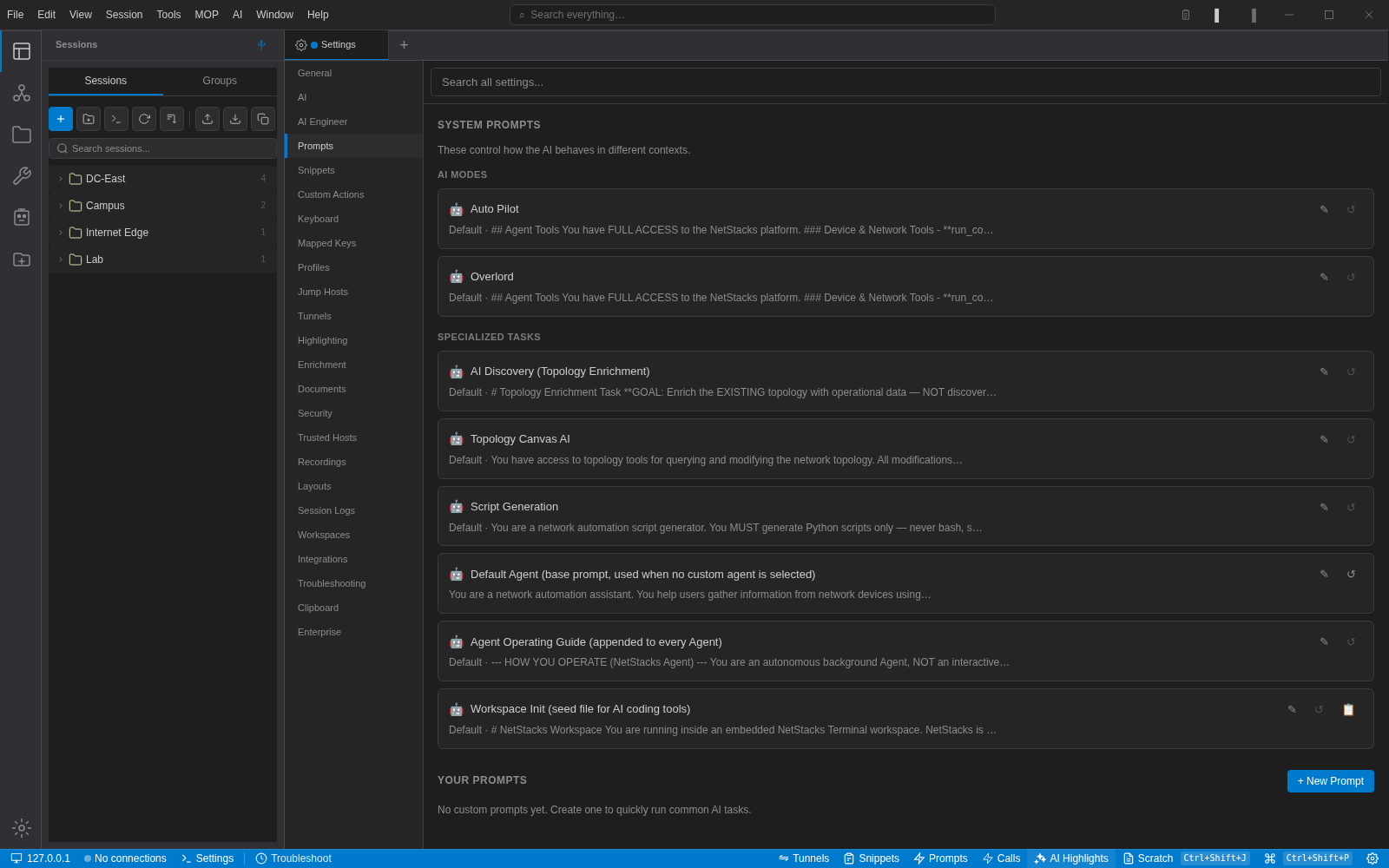
Smaller pieces that add up: the palette, Quick Connect, snippets, clipboard history, settings and the Controller's device views.
Runs where you work
Try it on your own devices
Free for individuals. Import your sessions, add an API key, and see what the assistant makes of your network.