
Knowledge Base
EnterpriseBuild a vector-searchable repository of organizational knowledge that powers AI Chat and NOC Agents with RAG-grounded answers.
Overview
The Knowledge Base is a vector-searchable repository of organizational knowledge that powers AI features across the NetStacks Controller. It stores documents from multiple sources, splits them into searchable chunks, generates vector embeddings, and provides hybrid search that combines vector similarity with PostgreSQL full-text search. AI Chat and NOC Agents use the Knowledge Base through RAG (Retrieval-Augmented Generation) to ground answers in your organization’s own documentation, policies, and procedures.
The Knowledge Base lives in the NetStacks Controller. The terminal app ships zero telemetry and does not require a controller; the Knowledge Base, RAG, and the REST endpoints described here are part of the self-hosted controller deployment.
Document Sources
Each document records a source_type. The controller supports the following source values:
| source_type | Description |
|---|---|
manual | Content uploaded or pasted directly by an operator |
url | A single web page fetched and indexed by URL |
confluence | Pages and spaces from Atlassian Confluence |
sharepoint | Documents and pages from Microsoft SharePoint |
incident | Auto-indexed past incident reports |
session | Auto-indexed terminal session transcripts |
topology | Auto-indexed shared topologies |
terminal_doc / terminal_template | Terminal documents (notes, outputs) and Jinja templates |
session_recording | Terminal session recordings |
mop | Auto-indexed approved Methods of Procedure (MOPs) |
For automated bulk ingestion of documentation sites, use Web Sources, which performs a breadth-first crawl with configurable depth, page, and rate limits and attaches each crawled page to the Knowledge Base.
Chunks pass through the credential sanitizer before embedding, and retrieved chunks can be sanitized again before they reach the LLM. This keeps secrets such as passwords and API keys out of stored embeddings and out of RAG context.
How It Works
Document Ingestion Pipeline
When a document is created, the controller runs ingestion in the background (unless the document is flagged requires_review):
- Store & hash — The raw content is stored and a SHA-256
content_hashis computed for deduplication. - Chunk — The content is split into overlapping, word-based chunks using the configured chunk size and overlap.
- Sanitize — Each chunk passes through the sanitizer to redact embedded credentials before embedding.
- Embed — Sanitized chunks are embedded in a batch by the embedding service and stored as
pgvectorvectors. - Index — Chunks (with a tsvector for full-text search) are written to PostgreSQL and the document is marked indexed.
Document state transitions through: pending → processing → indexed (or failed on error). A document flagged for review starts in review_required and is not embedded until approved. Only chunks from indexed documents appear in search results.
If the controller’s embedding service did not initialize, newly created documents are immediately marked failed with an explanatory error, and search falls back to text-only. See Troubleshooting below.
Search Capabilities
The single /search endpoint serves three modes:
- Vector similarity — The query is embedded and compared against chunk embeddings with pgvector cosine distance. Returned rows carry
search_source: "vector". - Full-text — PostgreSQL
tsvector/ keyword matching over chunk content. Rows carrysearch_source: "text". This is also the fallback when the embedding service is unavailable. - Hybrid (default) — When the embedding service is available, vector and text results are retrieved in parallel and merged with Reciprocal Rank Fusion (RRF). Rows merged from both lists carry
search_source: "hybrid".
Hybrid retrieval pulls an initial candidate set (default 25 per list), fuses them with RRF (constant k = 60), and returns the top-k final results (default 5, capped at 20 by the API).
RAG Integration
When AI Chat or a NOC Agent needs organizational context, the controller queries the Knowledge Base, retrieves the most relevant chunks, sanitizes them, and includes them in the LLM prompt. This grounds responses in your actual documentation rather than the model’s general knowledge, and lets the assistant cite the source document.
Chunking & Embeddings
Chunking
The Knowledge Base uses a single token-style chunking strategy: a word-based fixed-size splitter with overlap. There is no separate “semantic” or “heading-based” mode — you tune behavior with two parameters:
chunk_size— target chunk length in tokens (default 512).chunk_overlap— tokens repeated between adjacent chunks (default 50, roughly 10%).
Documents shorter than chunk_size become a single chunk. Otherwise the splitter advances by chunk_size - chunk_overlap words per step, so consecutive chunks share an overlapping window. These values are configured on the embedding configuration and applied during ingestion.
Original document: "BGP Peering Policy" (2,400 words)
Strategy: fixed-size, chunk_size=512, chunk_overlap=50  (step = 462 words)

Chunk 1: words 1-512
Chunk 2: words 463-974
Chunk 3: words 925-1436
Chunk 4: words 1387-1898
Chunk 5: words 1849-2360
Chunk 6: words 2311-2400  (final, short chunk)
Embedding model
By default the controller embeds locally with a bundled model — BAAI/bge-small-en-v1.5 (384 dimensions) via fastembed — so no external API calls or keys are needed for the Knowledge Base. The embedding configuration also supports external providers (openai, anthropic, ollama, or a custom endpoint) when you prefer hosted embeddings.
The local model is downloaded on first use. Set FASTEMBED_CACHE_DIR (for example /data/models on a mounted volume) so the model persists across container restarts instead of re-downloading.
Setting Up the Knowledge Base
Follow these steps to build your knowledge base and connect it to AI features in the controller.
- Open the Knowledge Base — Go to the AI section of the controller admin UI and open Knowledge Base management.
- Add document sources — Paste or upload content directly (
manual), add a single page by URL, point a Web Source at a documentation site for an automated crawl, or connect Confluence / SharePoint sources. Terminal docs, sessions, topologies, and approved MOPs can also be indexed automatically. - Confirm the embedding configuration — Verify the default embedding model and, if needed, adjust
chunk_sizeandchunk_overlapon the embedding configuration. See LLM Configuration. - Monitor ingestion — Watch each document move from
pendingtoprocessingtoindexed. Documents that fail show an error message. - Test search — Run a few representative queries and confirm relevant chunks come back with good similarity scores.
- Use it in AI — Once documents are indexed, AI Chat and NOC Agents use them for RAG automatically — no extra wiring.
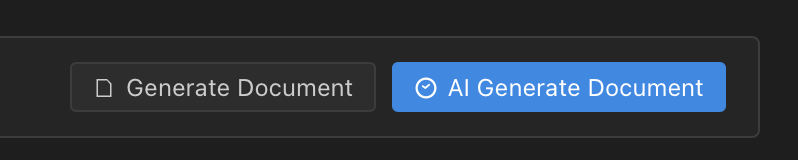
You can also have the controller generate documentation from your existing data and save it straight into the Knowledge Base:
Index your most frequently referenced material first — network diagrams, standard operating procedures, peering policies, and escalation runbooks. These deliver the highest value to AI features.
Code Examples
The Knowledge Base routes are mounted under /api/admin/knowledge on the controller and require an operator bearer token. There is no /v1 prefix.
Create a document
Create a document with content, category, and tags. The controller hashes the content, then chunks, sanitizes, embeds, and indexes it in the background. raw_content is required; source_type must be one of the supported values (anything unrecognized is treated as manual).
# POST /api/admin/knowledge/documents
curl -X POST https://controller.example.com/api/admin/knowledge/documents \
  -H "Authorization: Bearer $TOKEN" \
  -H "Content-Type: application/json" \
  -d '{
    "title": "BGP Peering Policy - AS65001",
    "description": "Standard BGP peering policy for all edge routers",
    "source_type": "manual",
    "content_type": "text/markdown",
    "raw_content": "# BGP Peering Policy\n\nAll AS65001 peers must run a minimum 1Gbps link, register valid IRR records, and sign ROAs for every announced prefix. Prefix limits: 500 IPv4, 100 IPv6. Warning at 80%, session teardown at 100%.",
    "category": "network-policy",
    "tags": ["bgp", "peering", "policy", "edge-routers"],
    "requires_review": false
  }'
Reprocess (re-embed) a document
Re-run chunking and embedding for an existing document, for example after editing its content or changing the embedding configuration:
# POST /api/admin/knowledge/documents/{id}/reprocess
curl -X POST \
  https://controller.example.com/api/admin/knowledge/documents/9f8e7d6c-1234-5678-9abc-def012345678/reprocess \
  -H "Authorization: Bearer $TOKEN"
Search the Knowledge Base
Search is a GET request. The query parameter is q. Use limit to cap results (max 20) and the optional hybrid flag to force or disable hybrid search; by default hybrid is used whenever the embedding service is available.
# GET /api/admin/knowledge/search?q=...&limit=5
curl -s https://controller.example.com/api/admin/knowledge/search \
  -H "Authorization: Bearer $TOKEN" \
  -G \
  --data-urlencode "q=What is our BGP prefix limit for AS65001?" \
  -d "limit=5" \
  -d "hybrid=true" | jq '.'
Search response shape
The endpoint returns a flat array of results. Each item includes a search_source of vector, text, or hybrid:
[
  {
    "chunk_id": "a1b2c3d4-0000-1111-2222-333344445555",
    "document_id": "9f8e7d6c-1234-5678-9abc-def012345678",
    "content": "Prefix limits for AS65001 peers: 500 IPv4 prefixes, 100 IPv6 prefixes. Warning at 80%, session teardown at 100%.",
    "document_title": "BGP Peering Policy - AS65001",
    "document_category": "network-policy",
    "similarity": 0.92,
    "search_source": "hybrid"
  },
  {
    "chunk_id": "d4e5f6a7-0000-1111-2222-333344445555",
    "document_id": "9f8e7d6c-1234-5678-9abc-def012345678",
    "content": "All AS65001 peers must run a minimum 1Gbps link, register valid IRR records, and sign ROAs for every announced prefix.",
    "document_title": "BGP Peering Policy - AS65001",
    "document_category": "network-policy",
    "similarity": 0.81,
    "search_source": "vector"
  }
]For vector and text rows, similarity is the per-mode score. For hybrid rows it is the fused RRF score used for ordering, not a raw cosine value — compare it for ranking within a single response rather than as an absolute relevance percentage.
RAG-powered AI Chat response
When a user asks about an internal policy, AI Chat retrieves and cites Knowledge Base context:
User: What is our maximum prefix limit for BGP peers in AS65001?

[Knowledge Base: 2 chunks retrieved, search_source=hybrid]

AI:   Based on your "BGP Peering Policy - AS65001" document, the maximum
      prefix limits for AS65001 peers are:

      - IPv4: 500 prefixes
      - IPv6: 100 prefixes

      A warning fires at 80% and the session is torn down at 100%. On
      Cisco IOS:

      router bgp 65001
        address-family ipv4 unicast
          neighbor 10.0.1.2 maximum-prefix 500 80 restart 15

      Source: BGP Peering Policy - AS65001 (network-policy)
Questions & Answers
- What is the search endpoint and query parameter?
- Search is
GET /api/admin/knowledge/searchwith the query in theqparameter, for example/api/admin/knowledge/search?q=bgp%20prefix%20limit&limit=5. There is no/v1prefix. Documents are created withPOST /api/admin/knowledge/documents. - What chunking options are there?
- One strategy: word-based fixed-size chunking with overlap. You control it with
chunk_size(default 512 tokens) andchunk_overlap(default 50). There are no separate semantic or heading-based modes — adjust the two parameters to fit your content. Larger documents are split into overlapping windows; small ones become a single chunk. - Which embedding model is used?
- By default the controller embeds locally with BAAI/bge-small-en-v1.5 (384 dimensions) via fastembed, so the Knowledge Base needs no external API key. You can instead configure an external embedding provider (OpenAI, Anthropic, Ollama, or a custom endpoint) in the embedding configuration.
- How does hybrid search work?
- When the embedding service is available, the controller runs vector similarity and full-text search in parallel, then merges them with Reciprocal Rank Fusion (RRF, k = 60). It pulls an initial candidate set (default 25 per list) and returns the top results (default 5, capped at 20). Each result’s
search_sourcetells you whether it came fromvector,text, or both (hybrid). - What happens if the embedding service is unavailable?
- New documents are marked
failedwith an explanatory error instead of being embedded, and search automatically falls back to text-only matching. Once the embedding service is back, reprocess the affected documents viaPOST /api/admin/knowledge/documents/{id}/reprocess. - Is sensitive content removed before indexing?
- Yes. Chunks pass through the credential sanitizer before embedding, so secrets are redacted from stored chunks. Retrieved chunks can also be sanitized again before being placed into the LLM prompt for RAG.
- How does the Knowledge Base improve AI responses?
- It powers RAG for AI Chat and NOC Agents. On each question the controller searches the Knowledge Base, includes the top chunks as prompt context, and lets the model cite the source document — so answers reflect your actual policies, procedures, and historical incidents rather than general knowledge.
Troubleshooting
| Issue | Possible cause | Solution |
|---|---|---|
Documents stuck or marked failed on creation | Embedding service did not initialize | Check the document’s error message. The local model downloads on first use; set FASTEMBED_CACHE_DIR (e.g. /data/models) on a persistent volume and confirm the controller can reach it. Once healthy, reprocess the document. |
| Search returns no results | Documents not yet indexed | Only chunks from indexed documents are searchable. Confirm ingestion finished (not pending, processing, review_required, or failed). |
| Search returning irrelevant results | Chunk size too large/small, or text-only fallback | Tune chunk_size and chunk_overlap and reprocess. If search_source is always text, the embedding service is unavailable and hybrid ranking is not running — fix embeddings first. |
| Confluence or SharePoint sync errors | Authentication or permission issue | Verify the API token / OAuth credentials are valid and the account has read access to the configured spaces or libraries. Check that the controller can reach the external service. |
| 404 on the search or documents endpoint | Wrong path or extra version prefix | Use /api/admin/knowledge/documents and /api/admin/knowledge/search?q=.... There is no /v1 segment, and the search parameter is q, not query. |
| Duplicate documents indexed | Content differs slightly so hashes differ | Deduplication keys on the SHA-256 content_hash. Minor differences (whitespace, metadata) produce a new hash. Delete the duplicate and re-add a single canonical copy. |
Related Features
- AI Chat — Uses the Knowledge Base through RAG to answer with organization-specific, cited context.
- NOC Agents — Autonomous agents that query the Knowledge Base for context during network event investigation.
- LLM Configuration — Configure the embedding model, chunk size/overlap, and the LLM providers that power RAG responses.
- Web Sources — Crawl documentation sites breadth-first and feed the pages into the Knowledge Base.
- Knowledge Packs — Built-in domain expertise (vendors, routing, security) that complements your indexed documents.
- MCP Servers — Model Context Protocol servers that provide additional live data sources to the AI.